 PRING Help
Send a document by email
Press "メール送信" on the record view, type the mail template ID (for example sales) and press send. PRING generates the document and sends it through your company's mail server with the recipients, subject and body defined in the mail template. Sending cannot be undone, so check the record first.
Steps
Screenshots are taken from the real PRING plugin (v6) with sample data; the surrounding kintone screen is simplified. Your kintone and plugin version may differ in details. The plugin UI is in Japanese.
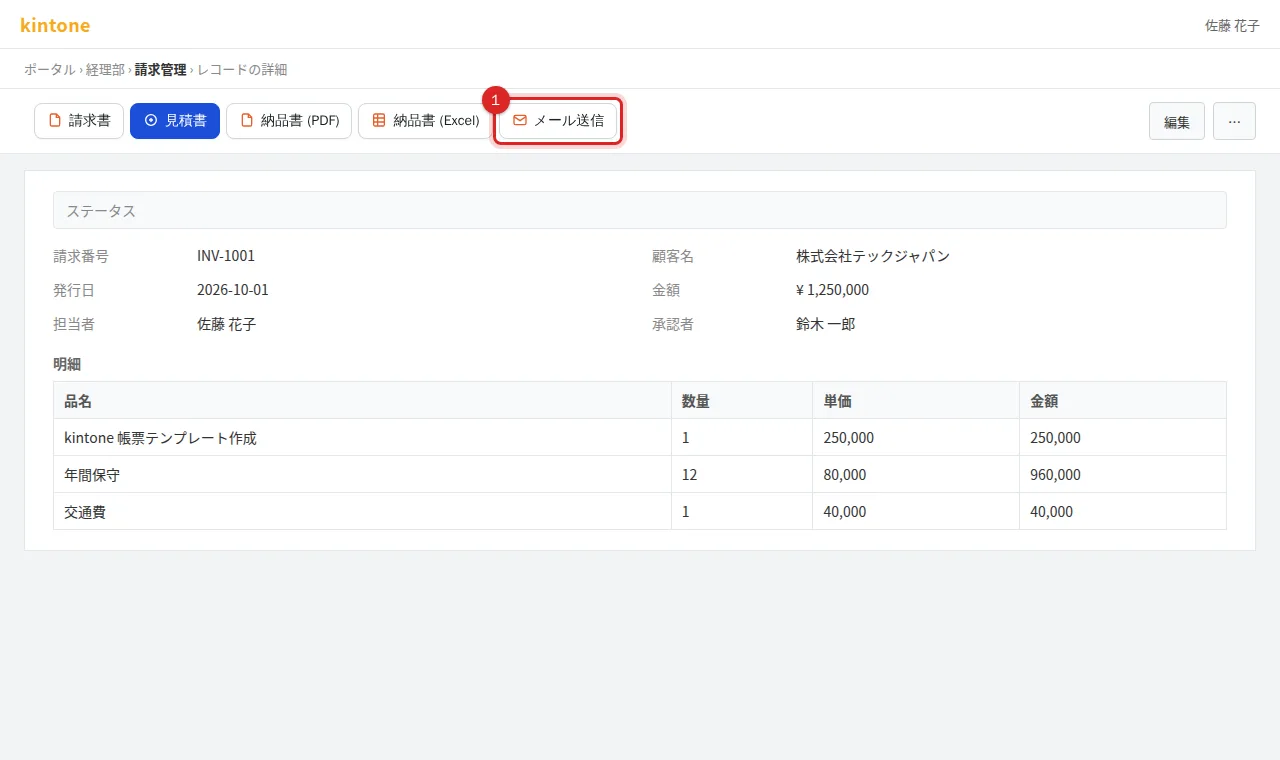
1. Press "メール送信" (Send mail)
Open the record to send and press Send mail on the right of the header.
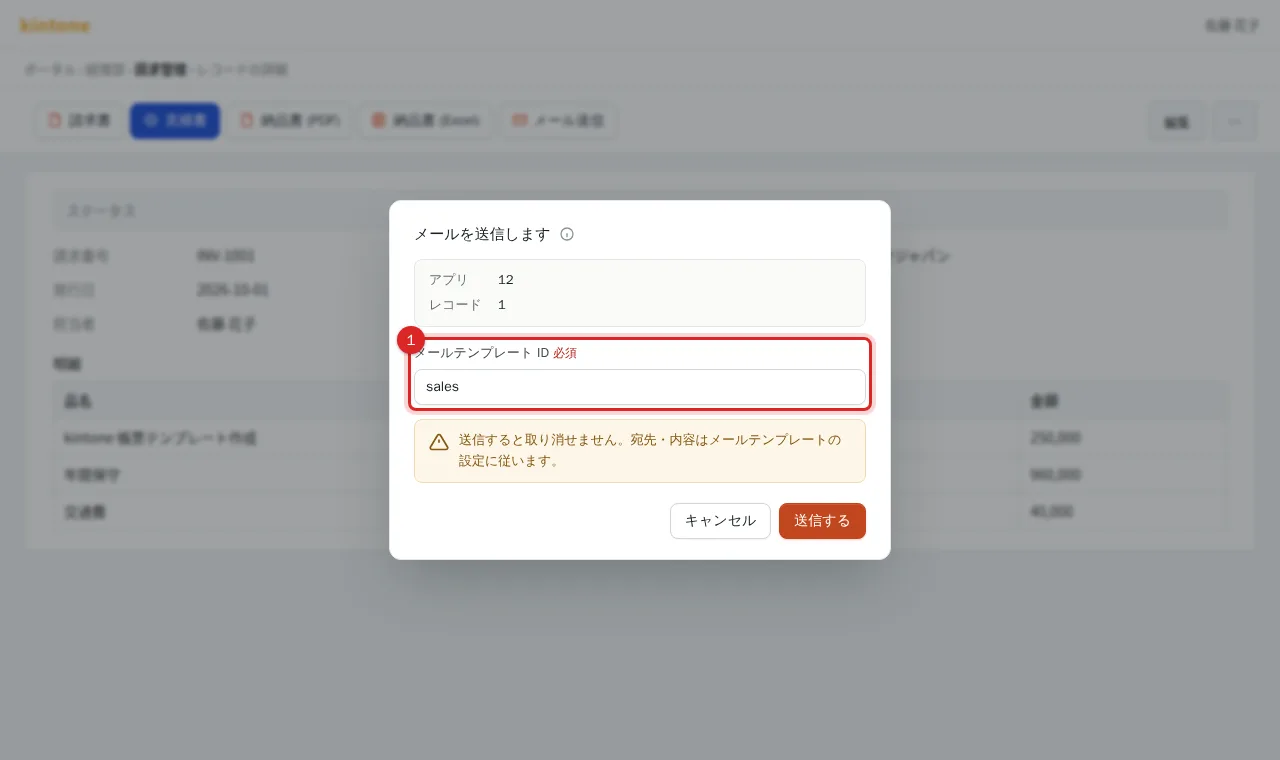
2. Enter the mail template ID
The dialog shows the app and record. Type the mail template ID from your administrator (for example sales). Recipients, subject and body come from that template.
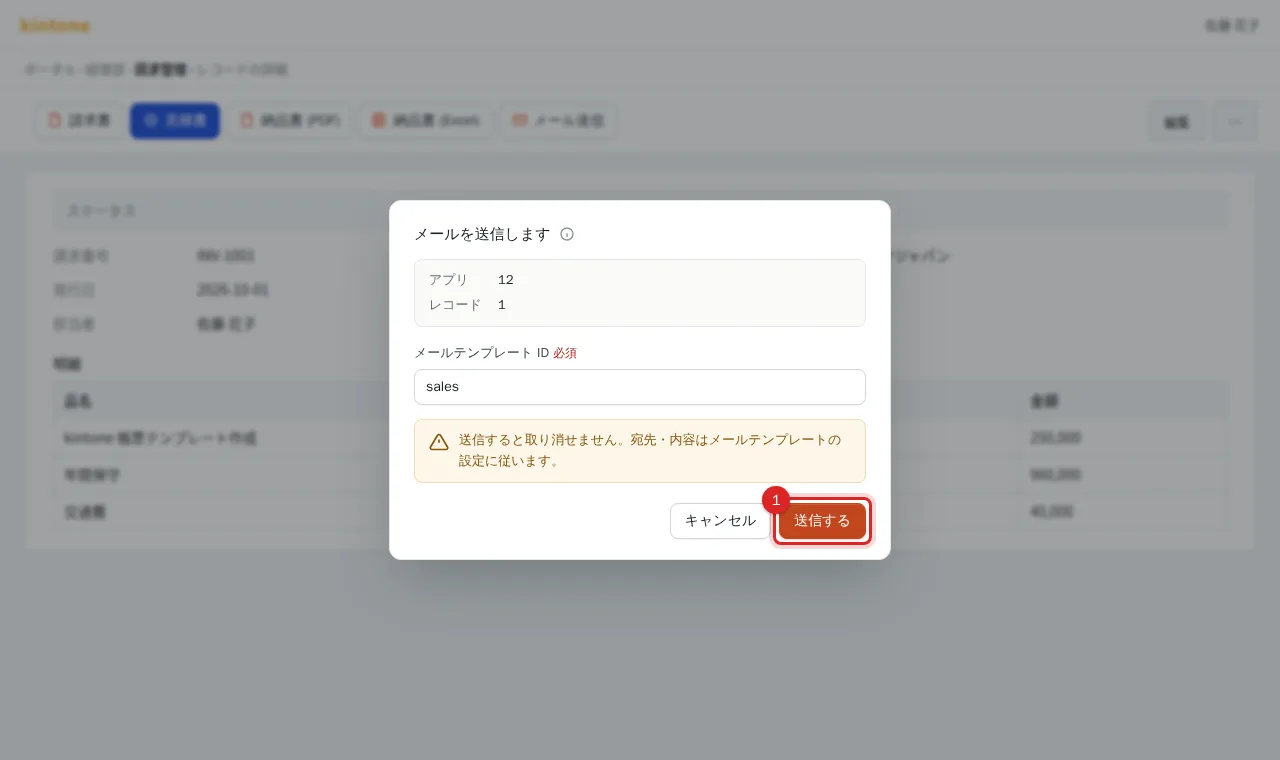
3. Press "送信する" (Send)
"送信中…" (Sending) is shown while the document is generated and handed to the mail server.
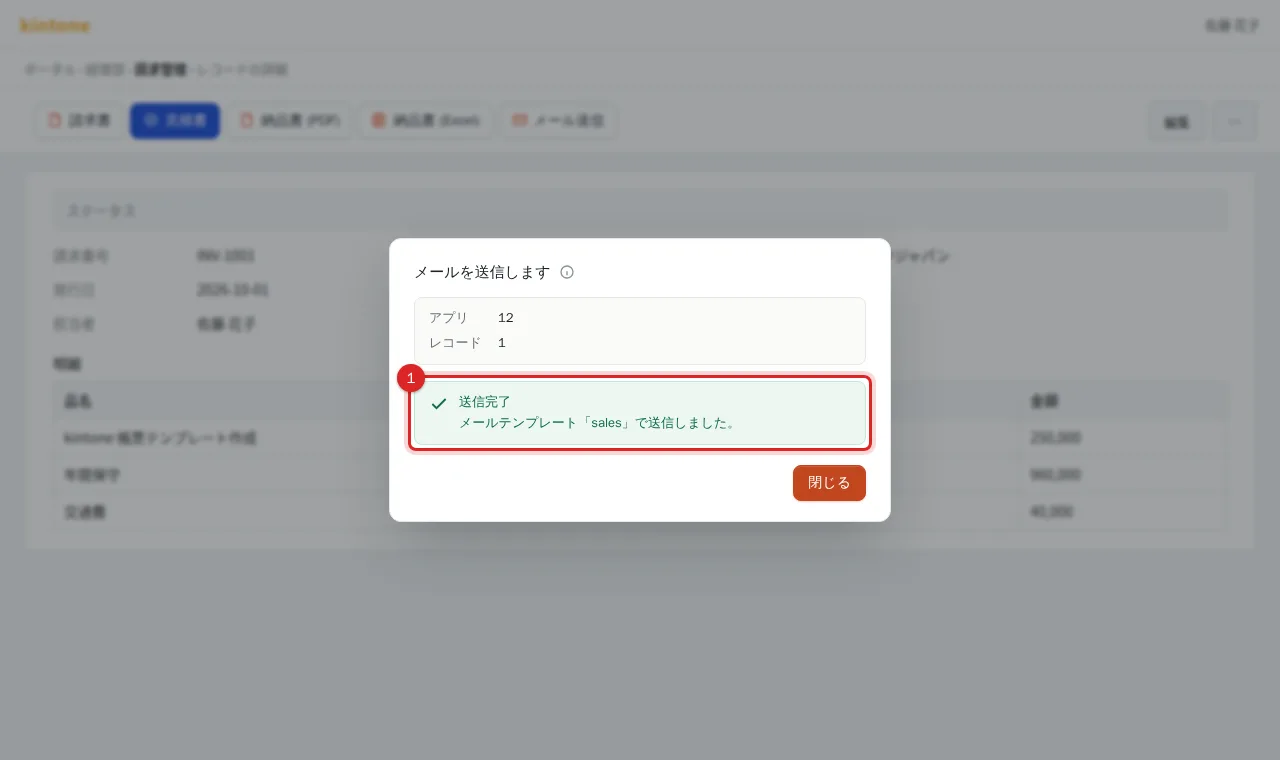
4. Confirm completion
Close the dialog when "送信完了" (Sent) is shown. If attachment verification is enabled, the sent document is also saved to the record's attachment field.
Related
- Administrator setup: Set up mail sending (BYOM)
- To review the document first: Export a PDF or Excel from a record
Frequently asked questions
Where do the recipients come from?
From the field set in the mail template (for example the customer's email field). To change a recipient, edit that field on the record before sending.
Is a copy of the sent mail kept?
It goes through your own mail server, so it appears in that server's sent folder or logs. PRING does not store mail bodies.
There is no Send mail button, or sending fails.
"メール送信" appears next to the document buttons on the record view of apps that have templates. If sending fails with "メール送信できません" (cannot send mail), the mail settings are not saved or the mail template ID is wrong. Mail sending is on the Standard plan and above. Ask your kintone administrator.