 PRING Help
Set up scheduled output
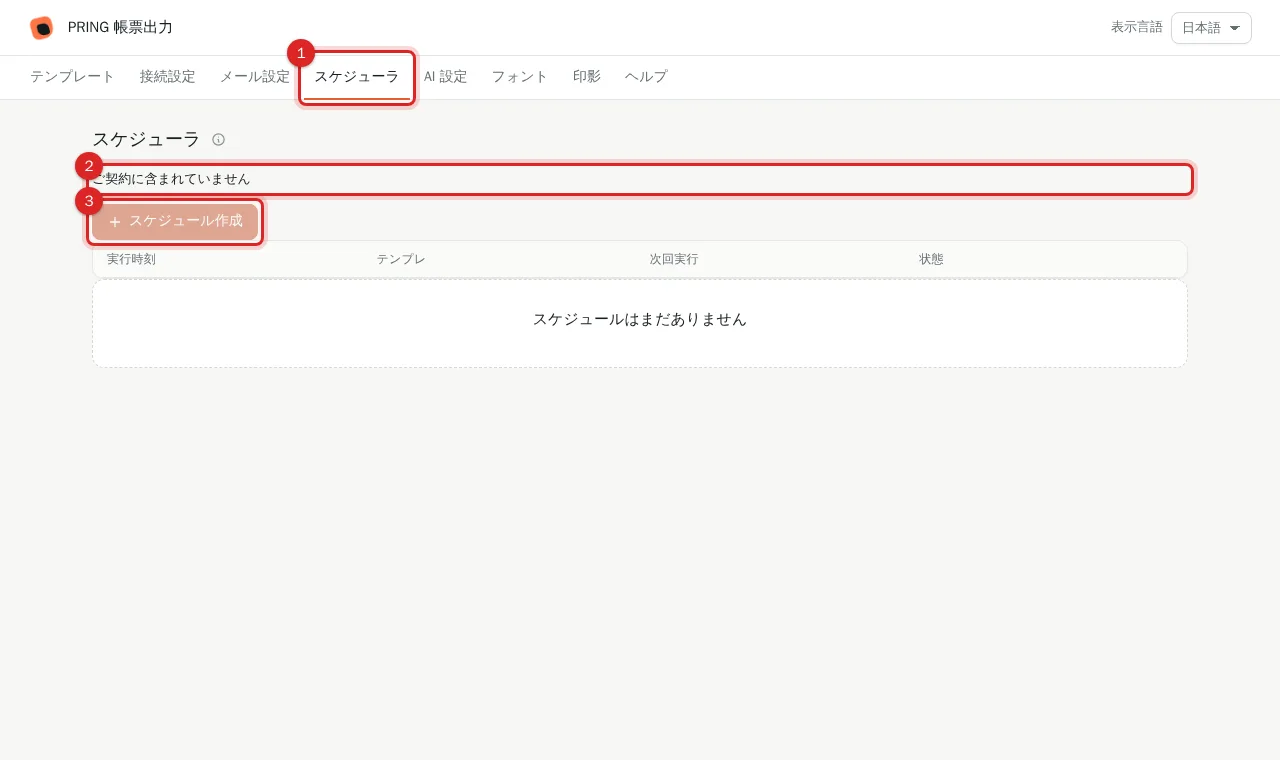
Scheduled output generates documents for matching records at the time given by a cron expression and attaches them to the kintone records, within your plan's allowance (Standard 5, Pro 10; Lite as an add-on). The スケジューラ tab of the settings screen shows whether your contract includes it; without one it says "ご契約に含まれていません" (not included in your contract).
Steps
Scheduled output is available only when your plan includes it (Standard 5 schedules, Pro 10, extra blocks of 5 at +¥1,000/month). On the settings screen (plugin v6) the スケジューラ tab only shows whether your contract includes it; there is no form for entering a schedule (template, run time, filter, output format). To create or change a schedule, use the contact form (https://pring.tech/en/contact).
Screenshots are taken from the real PRING plugin (v6) with sample data; the surrounding kintone screen is simplified. Your kintone and plugin version may differ in details. The plugin UI is in Japanese.
1. Open the "スケジューラ" (Scheduler) tab
Press the Scheduler tab. Without a contract it says "ご契約に含まれていません" (not included in your contract) and "スケジュール作成" (Create schedule) is disabled.
2. Check that your contract includes it
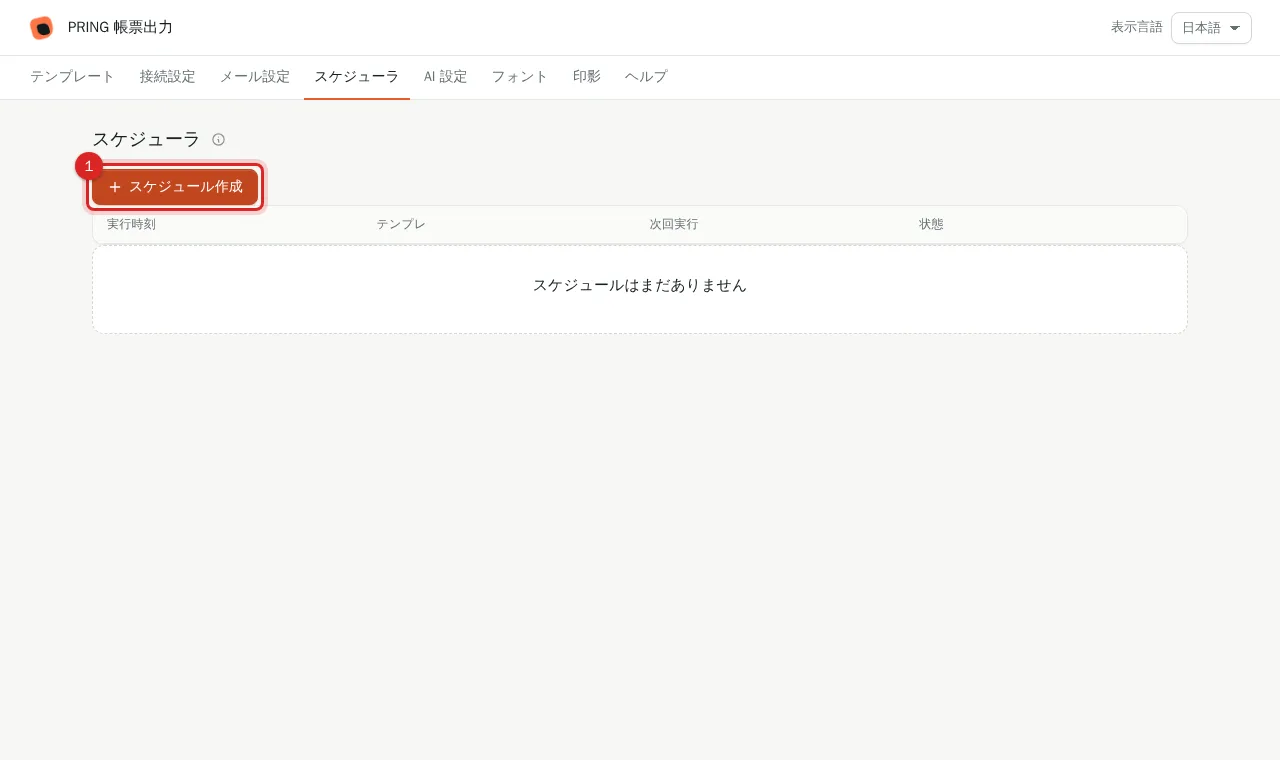
With a contract the notice disappears and "スケジュール作成" is shown as enabled. Registered schedules are listed below (run time, template, next run, status).
3. Check the results on the records
At the scheduled time a document is generated for each matching record and saved to its attachment field.
Cron examples
| Expression | Runs |
|---|---|
0 9 * * 1 |
Every Monday at 09:00 |
0 8 1 * * |
1st of each month at 08:00 |
30 17 * * 1-5 |
Weekdays at 17:30 |
Related
- Plans and included schedules: pricing on the product site
- How users find attached documents: Export a PDF or Excel from a record
Frequently asked questions
How many schedules can I create?
Standard includes 5, Pro includes 10. Lite has none included; blocks of 5 can be added for ¥1,000 (JPY, excl. tax) per month. Extra blocks beyond the plan are the same price.
Which time zone does the cron expression use?
Japan Standard Time (JST).
What if a schedule matches many records?
Records are processed in sequence on the server. Split large sets into several schedules with narrower filters.