 PRING Help
Export a PDF or Excel from a record
Press the document button in the record view header (for example 請求書, invoice). The dialog shows the target and the PDF (or Excel) downloads in 1 to 3 seconds. There is nothing to type. Depending on the administrator's settings the file is also saved to the record's attachment field.
Steps
Screenshots are taken from the real PRING plugin (v6) with sample data; the surrounding kintone screen is simplified. Your kintone and plugin version may differ in details. The plugin UI is in Japanese.
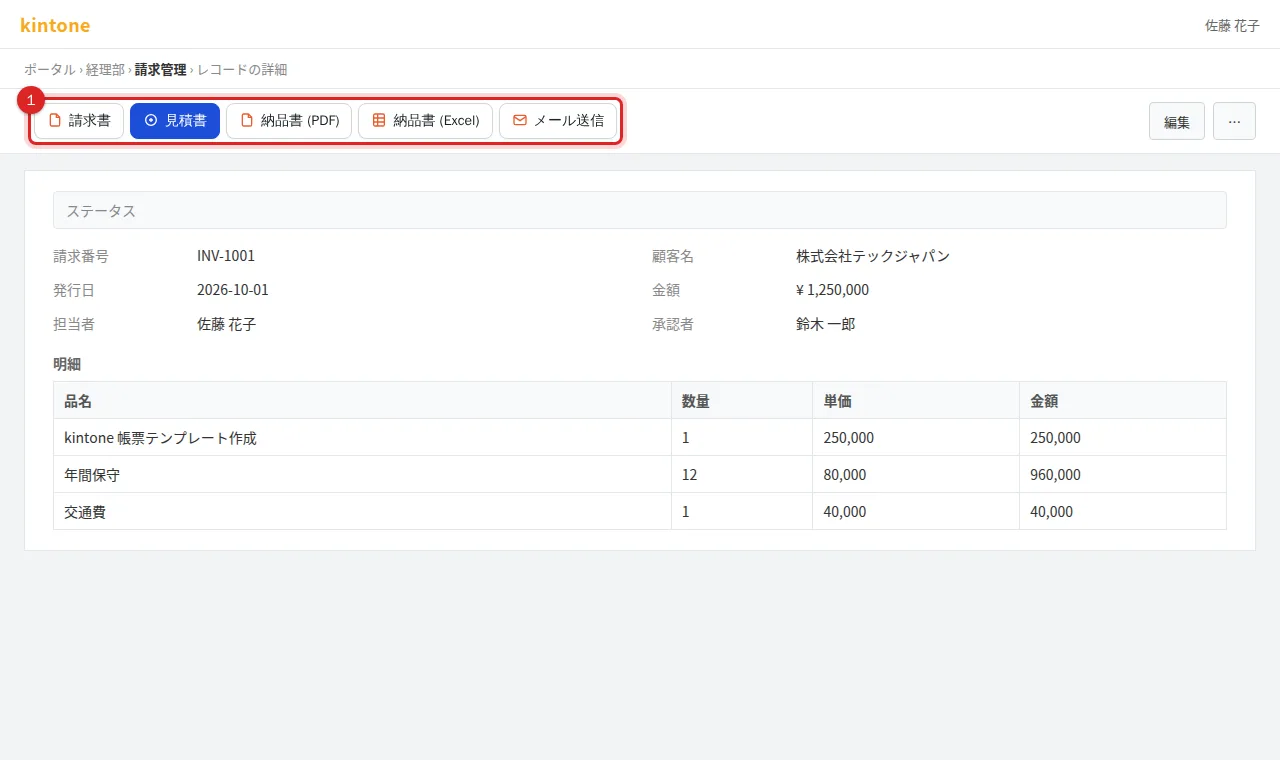
1. Press the document button
Open the record and press the document you need from the buttons at the top left of the header (for example 請求書 invoice, 見積書 quote, 納品書 delivery note). The names and number of buttons come from the templates your administrator registered.
2. Check the target in the dialog
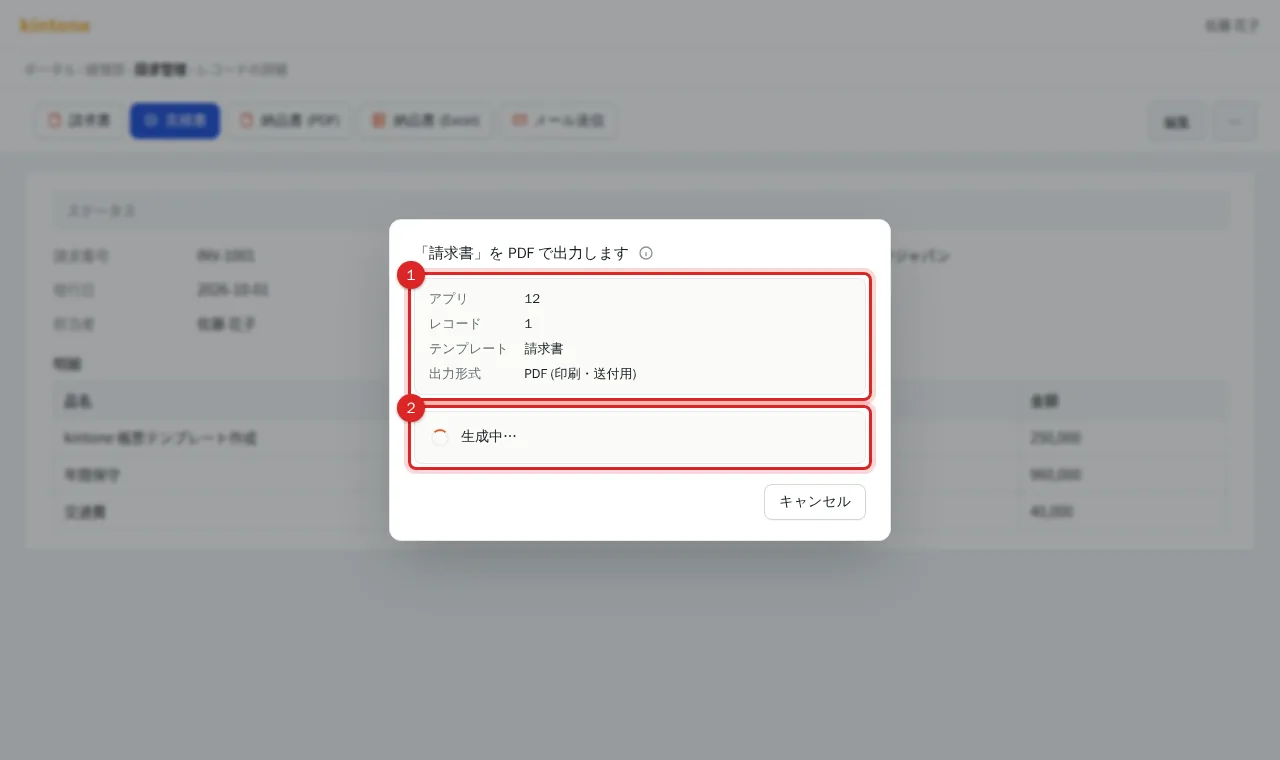
The dialog shows the app, record number, template and output format. "生成中…" (Generating) is shown, then it completes in 1 to 3 seconds. There is nothing to type. While it is generating you can press "キャンセル" (Cancel).
3. Check the downloaded file
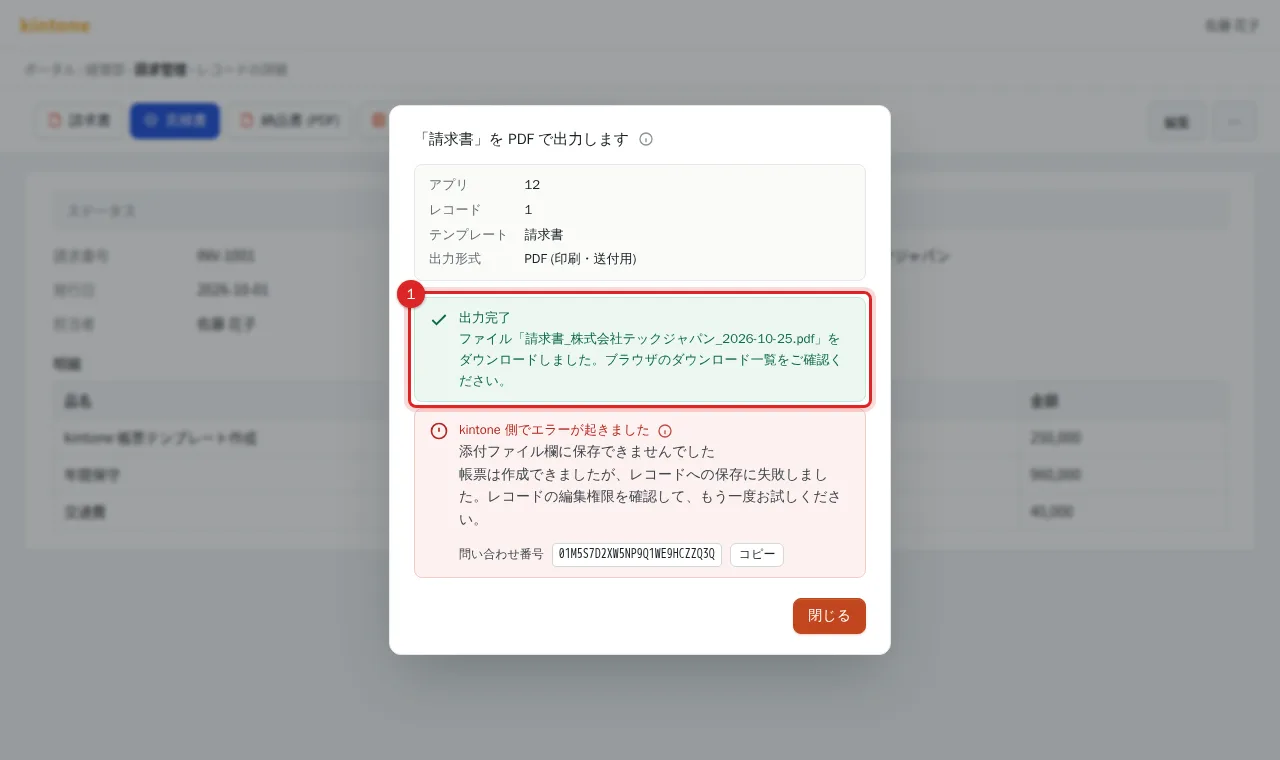
"出力完了" (Done) is shown and the file downloads. The file name follows the administrator's rule (for example Invoice_42_2026-10-23.pdf). If auto-attach is configured, reload the record to see the file in its attachment field.
Related
Frequently asked questions
How is the file name decided?
By the file-name rule your administrator set on the template (for example 請求書_株式会社テックジャパン_2026-10-25.pdf). If the rule is empty, the name is the template ID plus the date and time.
Can I edit the Excel output?
Yes. It is an xlsx file, with formulas and pivot tables already recalculated for the filled-in data.
I cannot see the buttons.
Reload the page and look at the record view header (the row with the edit button). If they are still missing, PRING is not enabled on the app or permissions apply; ask your kintone administrator.