 PRING Help
Control when export buttons appear (process status and permissions)
Under "1. 基本" → ボタンを出す条件 in the template editor, set a status rule (show / hide / enable / disable plus the target statuses) and the allowed users and organisations (comma separated, blank = everyone) per template. With nothing set, the button appears on every record for everyone.
Steps
Screenshots are taken from the real PRING plugin (v6) with sample data; the surrounding kintone screen is simplified. Your kintone and plugin version may differ in details. The plugin UI is in Japanese.
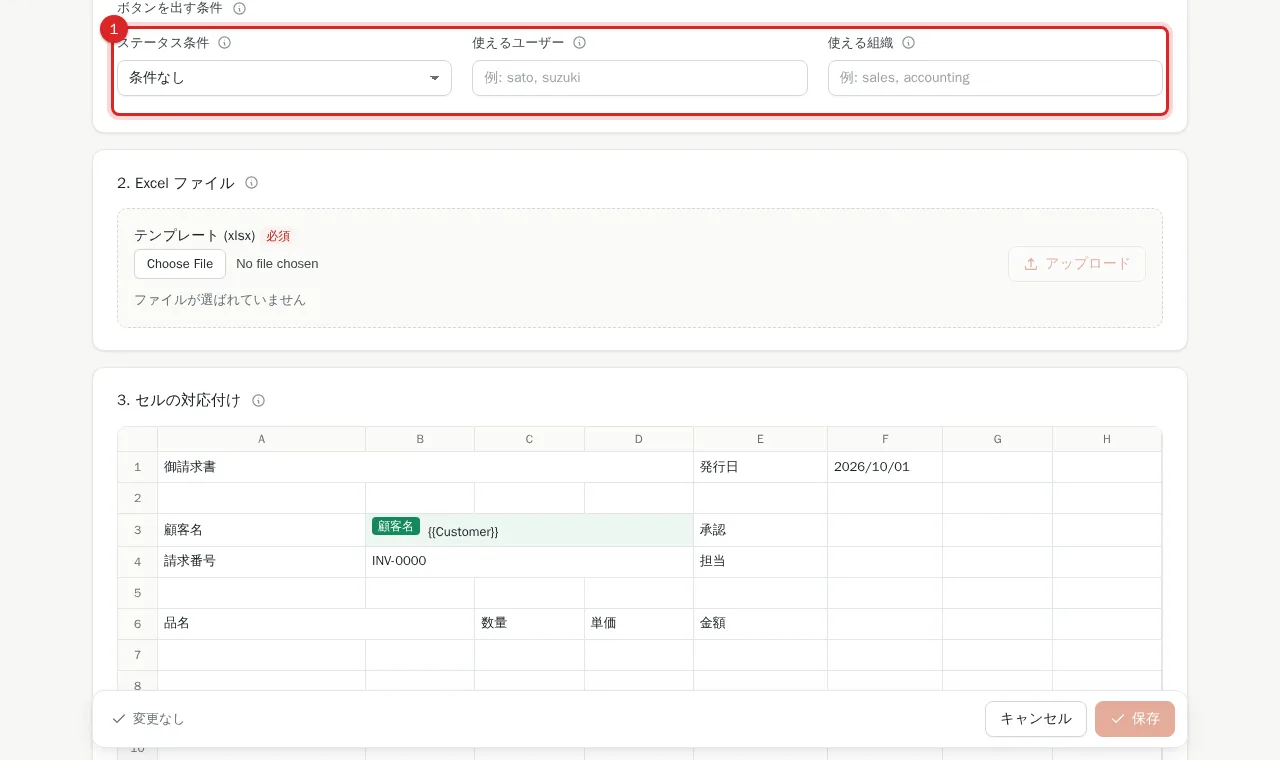
1. Find ボタンを出す条件 in the template editor
Press 編集 (Edit) on the template list and scroll to ボタンを出す条件 (button conditions) near the end of "1. 基本". With ステータス条件 set to 条件なし (no condition) and no users or organisations, the button appears on every record for everyone.
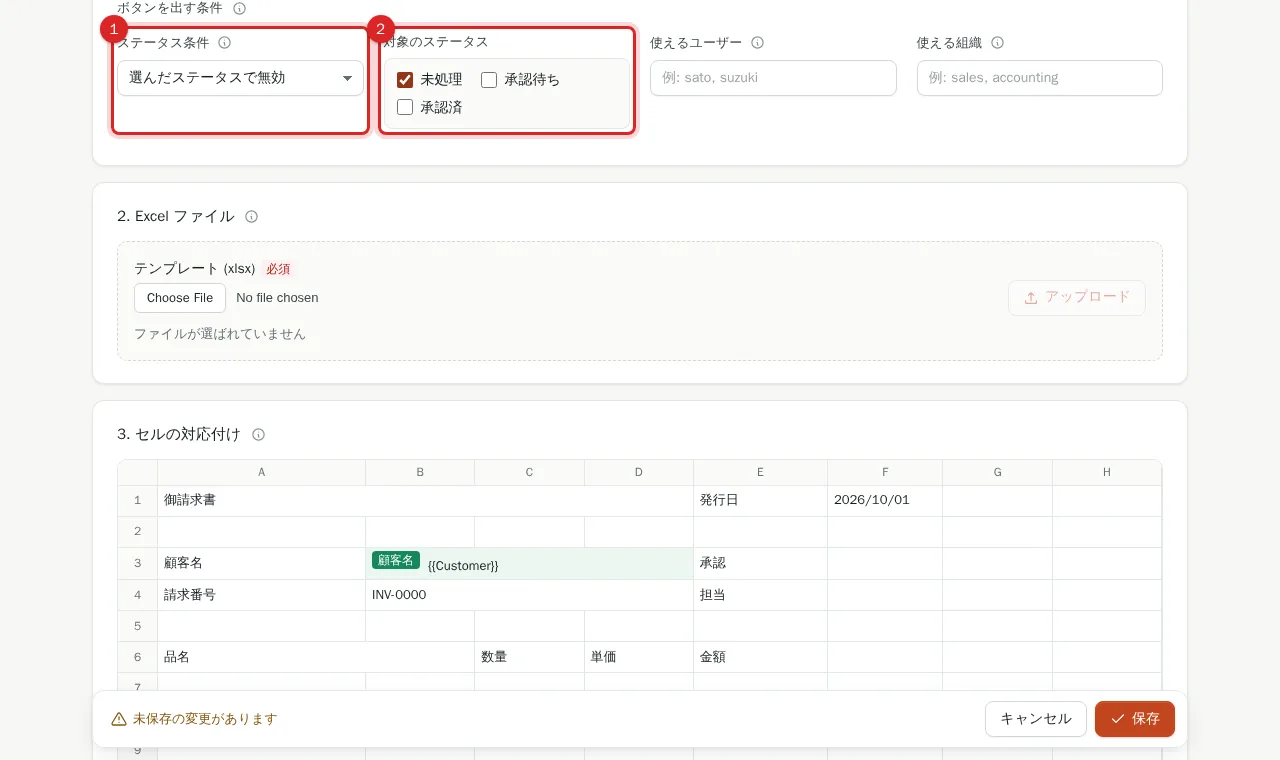
2. Choose the status rule and 対象のステータス
Pick ステータス条件: 選んだステータスで表示 shows the button only in the selected statuses; 選んだステータスで非表示 hides it in them; 選んだステータスで有効 / 選んだステータスで無効 always show the button but toggle whether it can be pressed. Then tick the target statuses (listed from the app's process management).
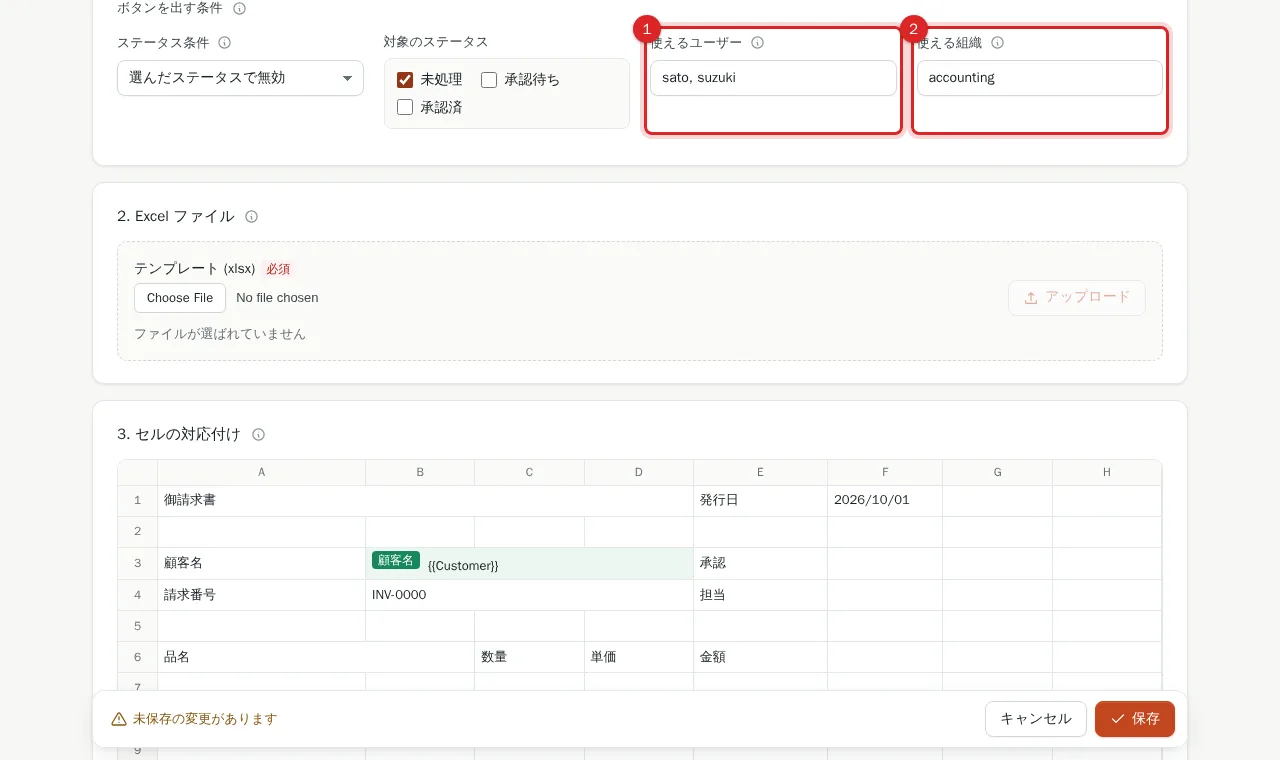
3. Enter 使えるユーザー / 使える組織 (optional)
Enter kintone login names (user codes) in 使えるユーザー and organisation codes in 使える組織, comma separated. Matching either list is enough; blank means everyone.
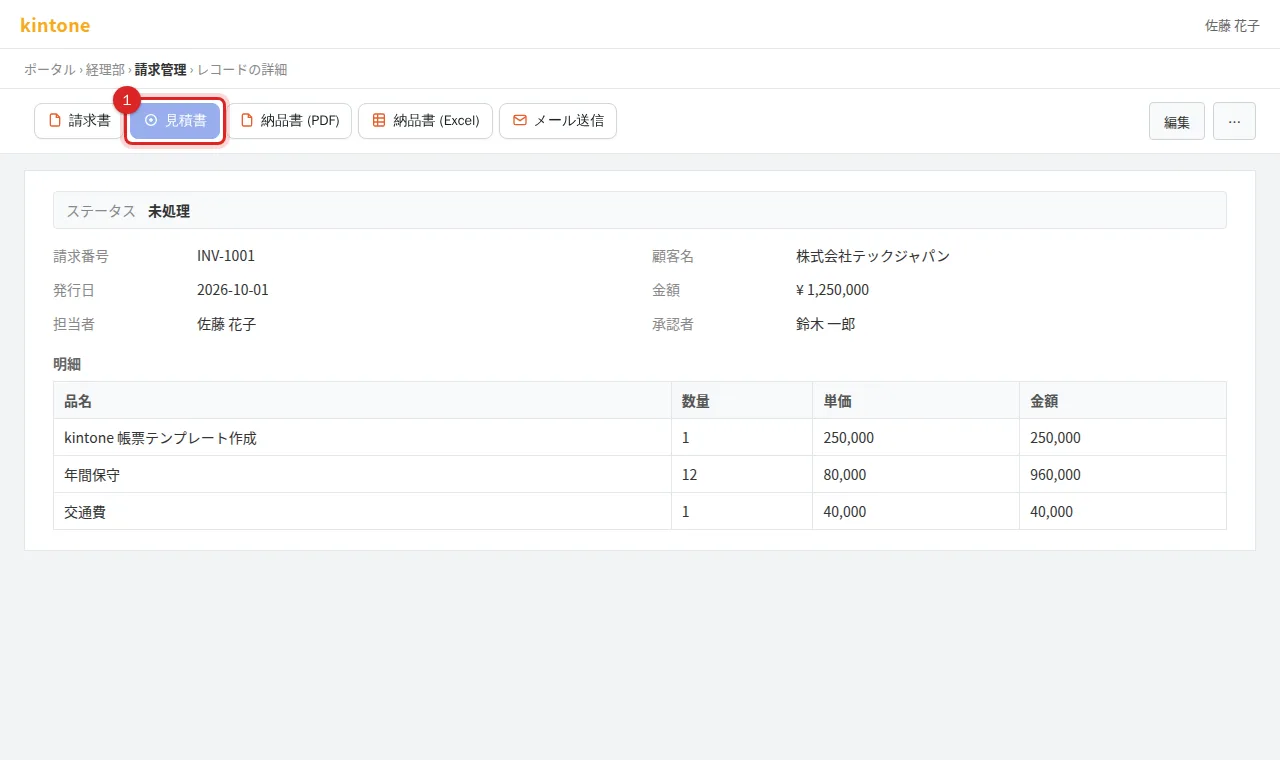
4. Save and check on a record
Press 保存, open a record and confirm the button appears, is hidden or is disabled as expected (hovering a disabled button shows このステータスでは出力できません, cannot export in this status). Buttons are redrawn right after process actions such as approval.
Frequently asked questions
What if the app does not use process management?
The conditions are saved but not applied (the settings screen says process management is disabled for this app). They take effect once you enable it.
Do the conditions apply to batch export?
They apply to the record-view buttons. Whether a template appears in the list view's batch export is set with 一覧画面の一括出力に含める.