 PRING Help
Set up aggregate export (a list into one document)
Choose 集計 (一覧から 1 ファイル) as the template type, enter レコードを並べる開始行 (start row) and 1 件あたりの行数 (rows per record), and map the fields of one record's rows. Filter a list view and press the template's button in the header (for example 月次売上一覧): one document with one row block per record is downloaded (for example a monthly sales list).
Steps
Screenshots are taken from the real PRING plugin (v6) with sample data; the surrounding kintone screen is simplified. Your kintone and plugin version may differ in details. The plugin UI is in Japanese.
1. Create a template of type 集計 (一覧から 1 ファイル)
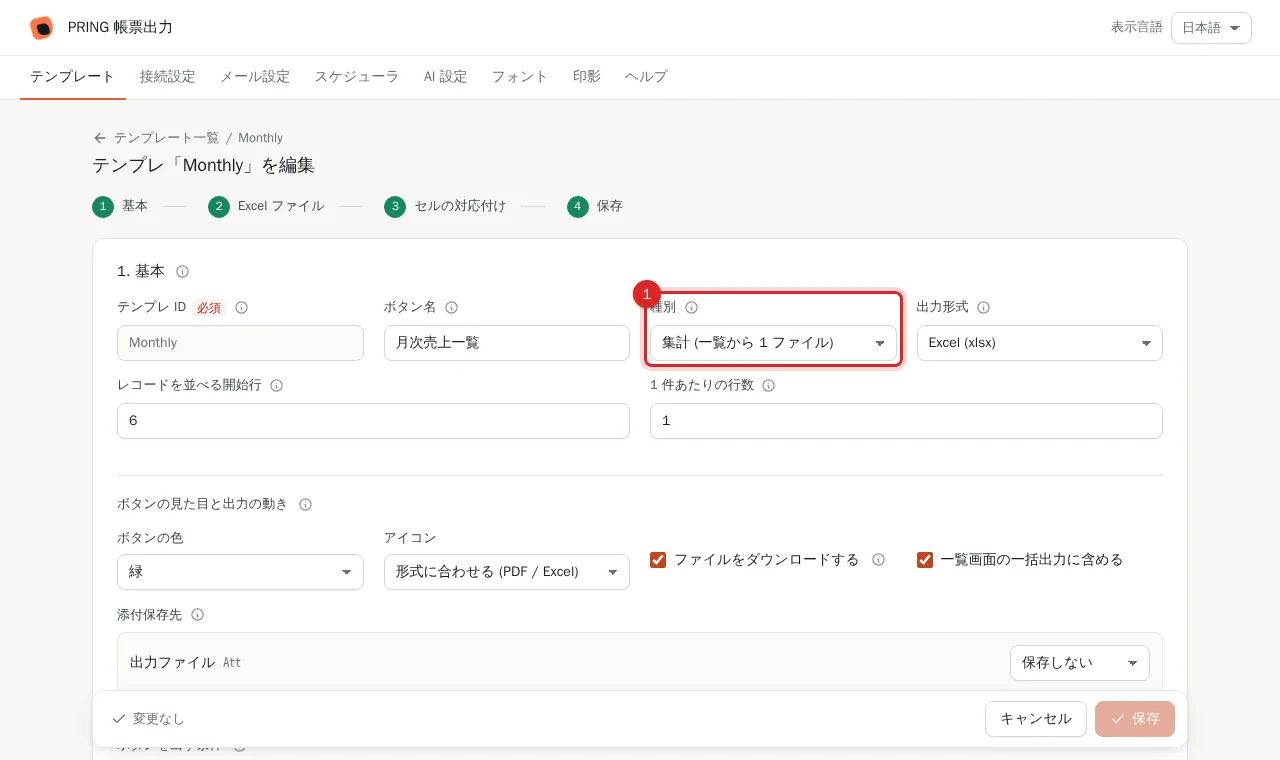
In "1. 基本" choose 集計 (一覧から 1 ファイル) as 種別. レコード詳細 outputs one record at a time; 集計 aggregates the filtered records into one document.
2. Enter レコードを並べる開始行 and 1 件あたりの行数
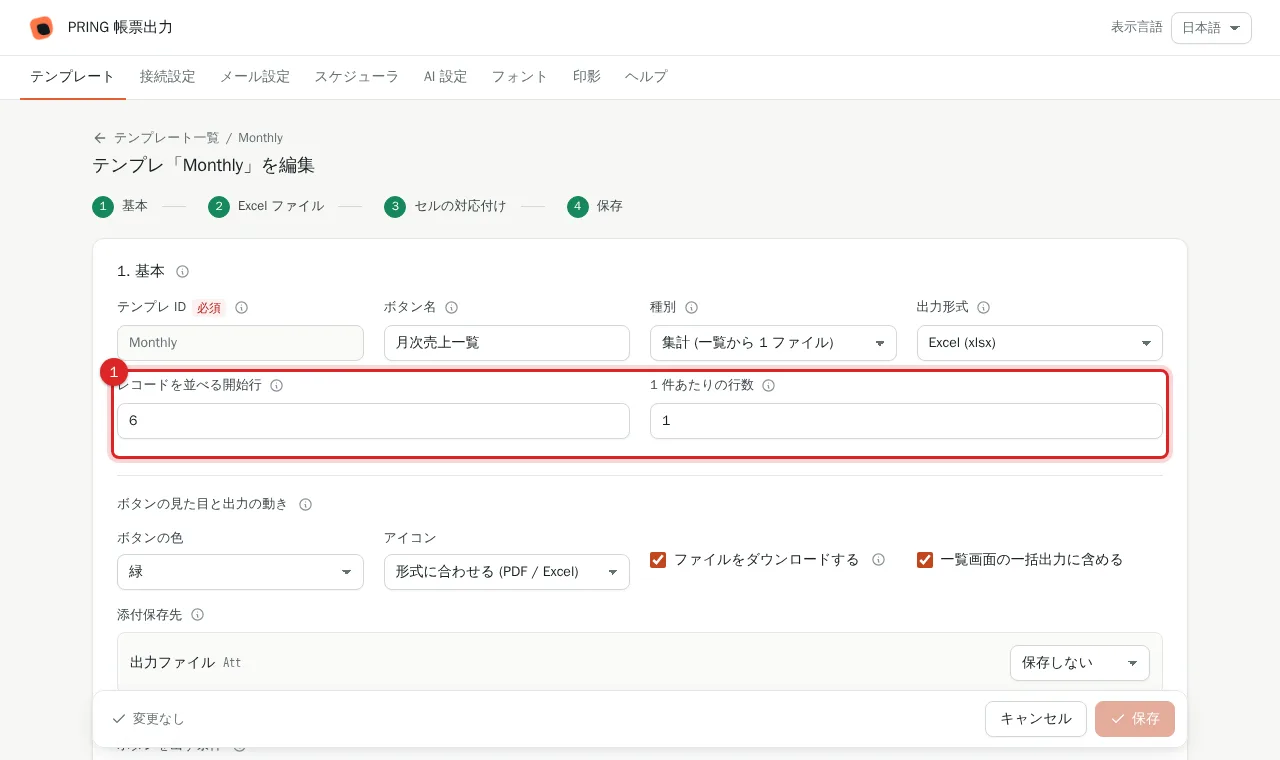
The row where the first record starts (for example 6) and the rows one record occupies (for example 1, or 5 if one record takes five rows). Fill in both or neither (empty: derived from the mapped cells' rows).
3. Map the fields of one record's rows
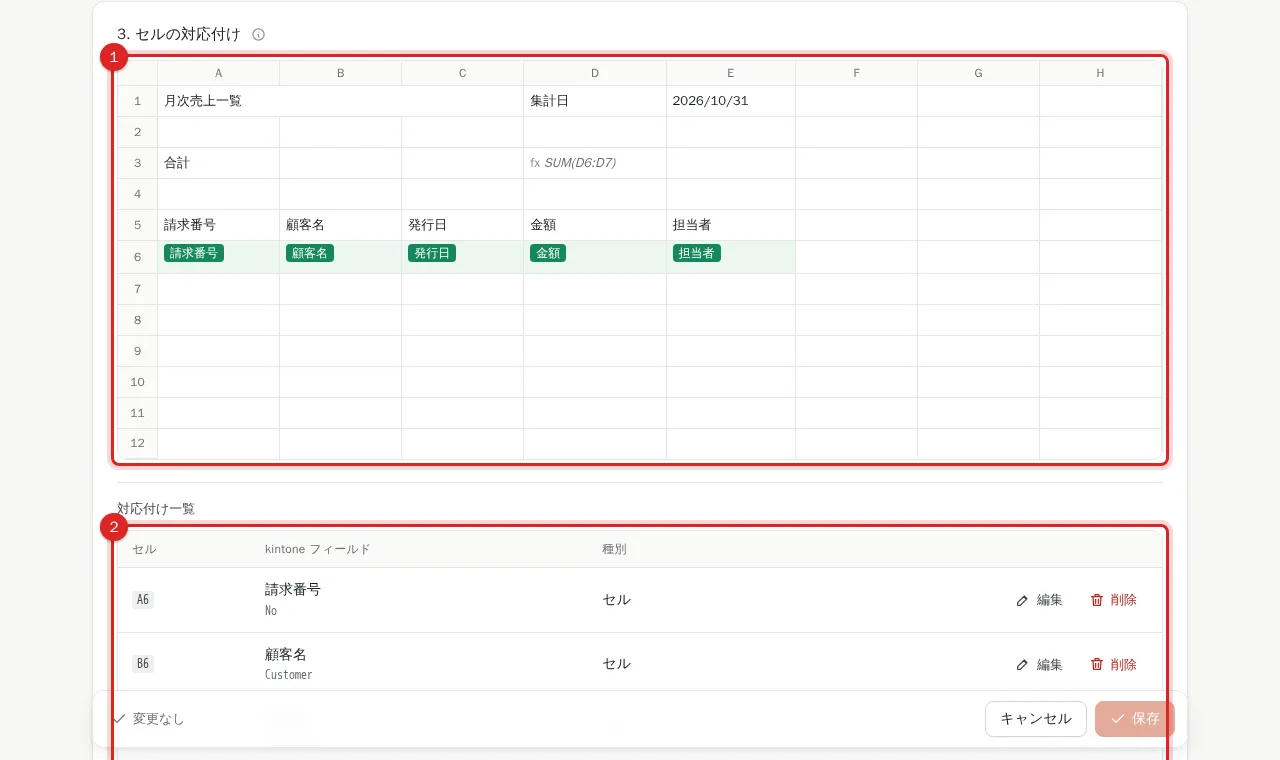
In "3. セルの対応付け" map fields to the rows of one record starting at the start row. On export the block is repeated once per record and totals spanning it, such as SUM(D6:D7), grow to cover every record.
4. Save
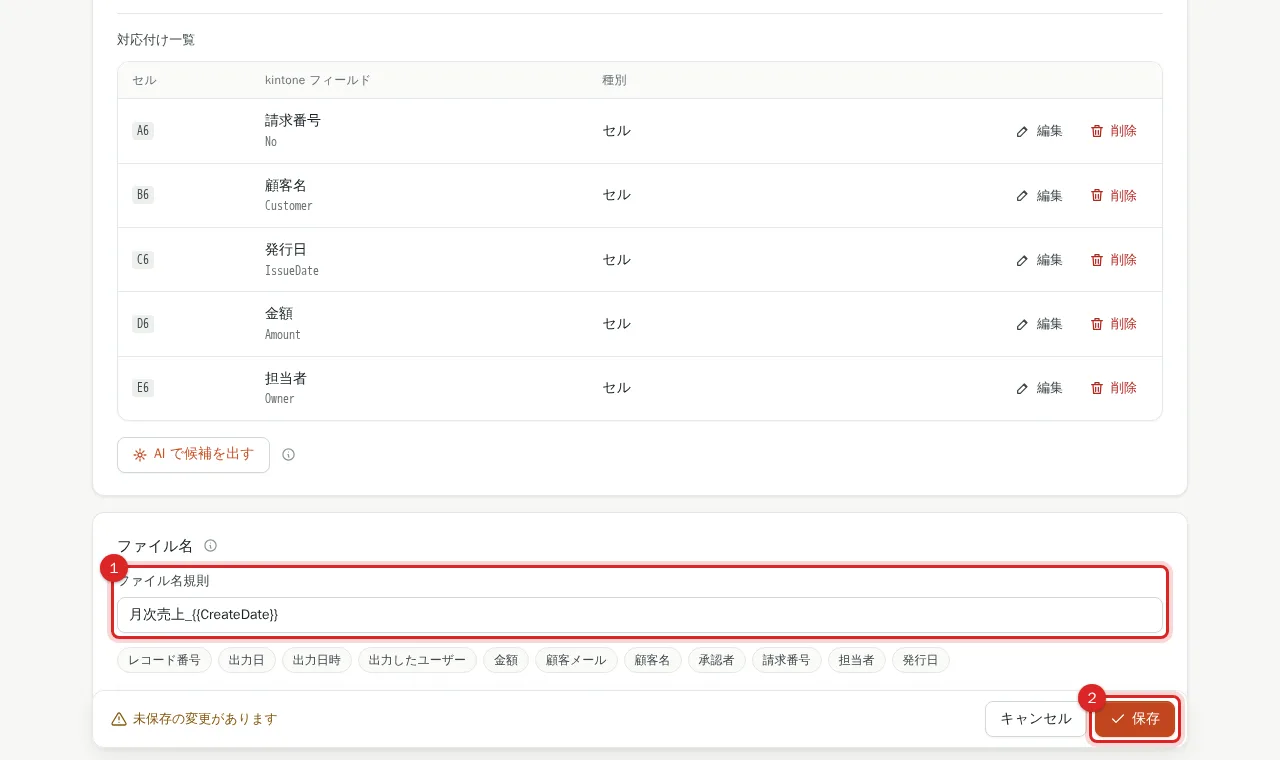
Press 保存. The file-name rule accepts {{RecordCount}}; {{RecordID}} is the first record's ID.
5. Filter the list view and press the template's button
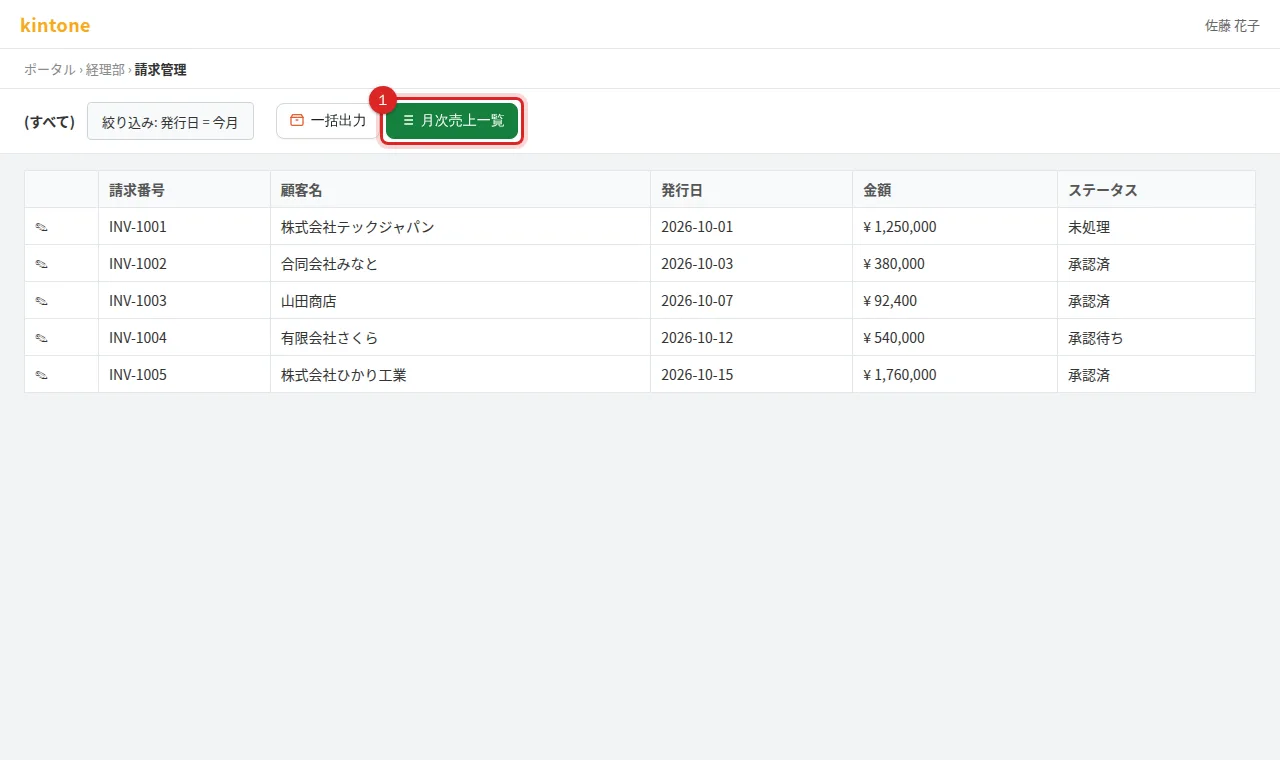
In kintone's list view narrow the records and press the template's button in the header (its button name, for example 月次売上一覧). The dialog shows the record count, and the filtered records download as one PDF (or Excel). Each run is limited by your plan; split larger sets with filters.
Frequently asked questions
How is it different from batch export?
Batch export makes one file per record and bundles them in a ZIP. Aggregate export lays every record out in a single document.
What about subtables inside the block?
Subtables inside the block are written up to the mapped number of rows (rows do not grow).