 PRING Help
Set up mail sending (BYOM)
PRING mail is BYOM (Bring Your Own Mail server). PRING does not relay mail; it sends through the SMTP server you register in the settings screen. On the "メール設定" (Mail settings) tab, fill in SMTP connection → sender → mail template → save → test send (the test uses the saved settings). Mail sending is available on the Standard plan and above.
Steps
Screenshots are taken from the real PRING plugin (v6) with sample data; the surrounding kintone screen is simplified. Your kintone and plugin version may differ in details. The plugin UI is in Japanese.
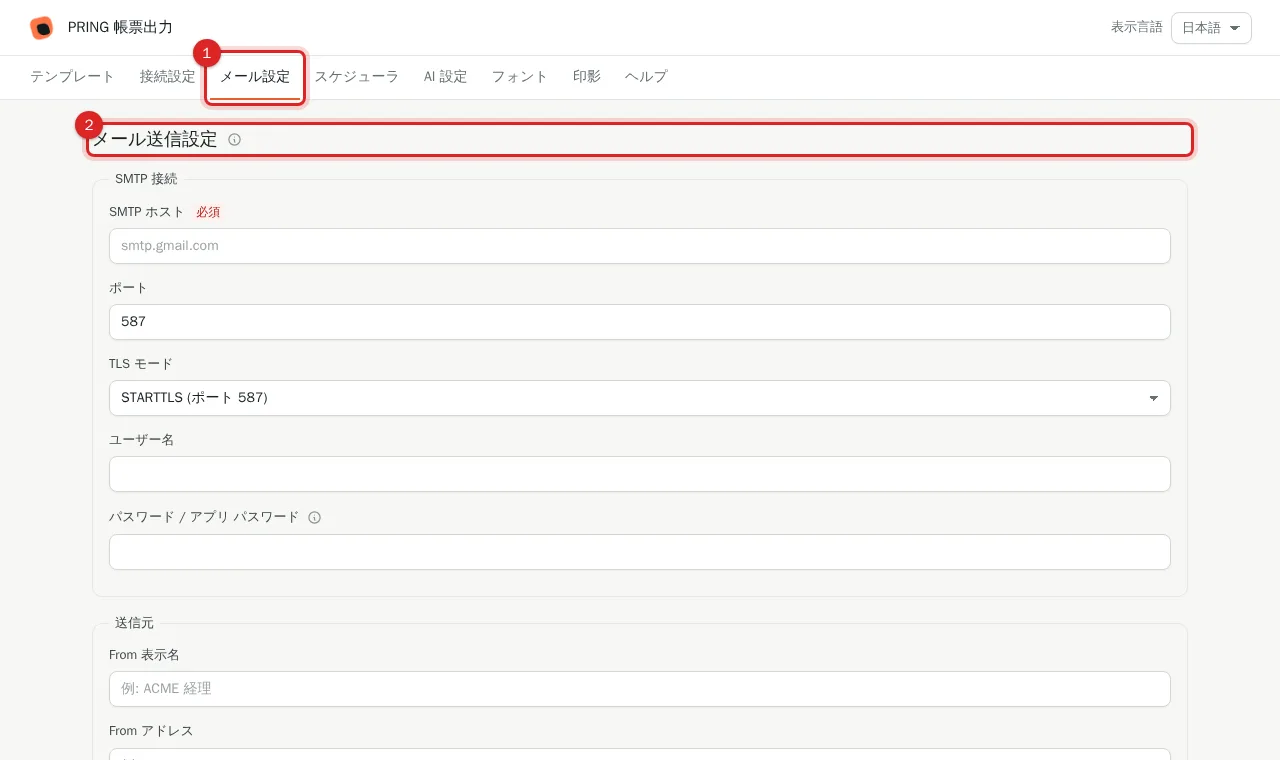
1. Open the "メール設定" (Mail settings) tab
Press the Mail settings tab at the top of the settings screen.
2. Enter the SMTP connection
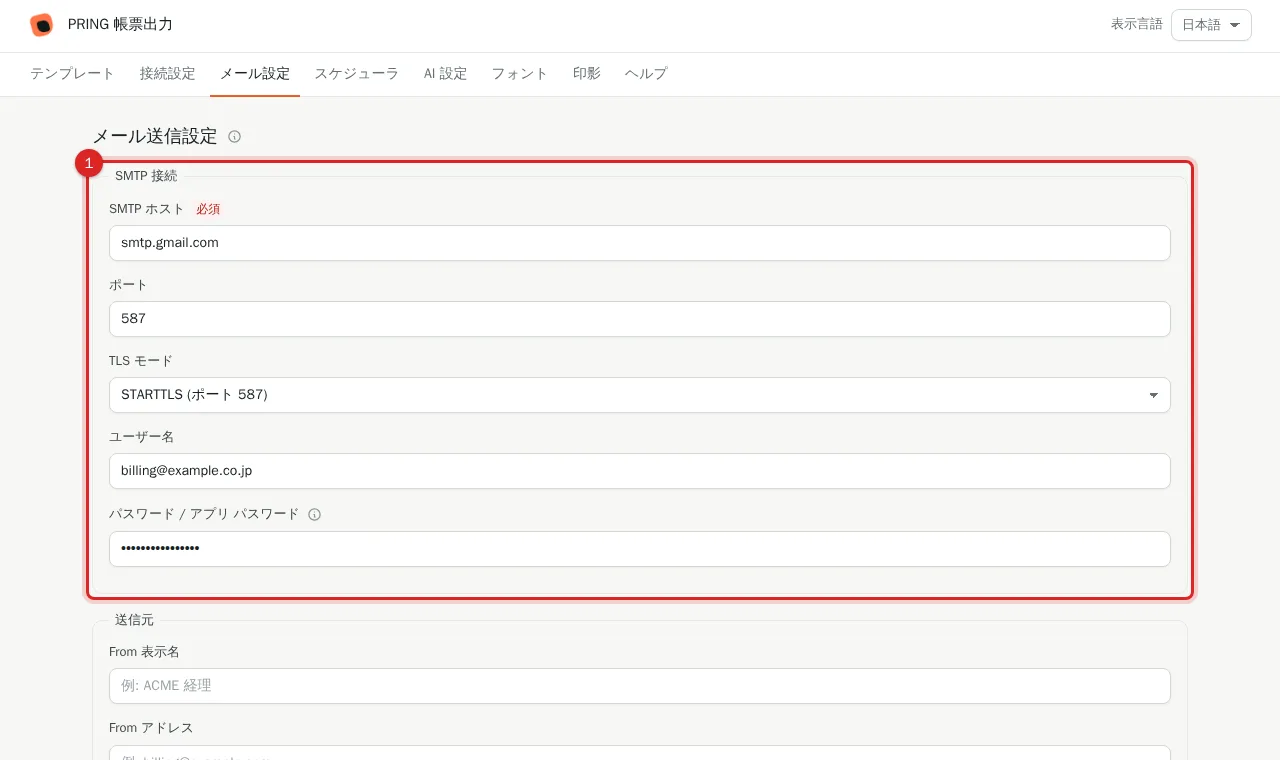
Fill in SMTP host (for example smtp.gmail.com), port (587 for STARTTLS, 465 for SSL), TLS mode, username and "パスワード / アプリ パスワード" (password or app password). The password is stored encrypted; the plain text is not kept.
3. Enter the sender
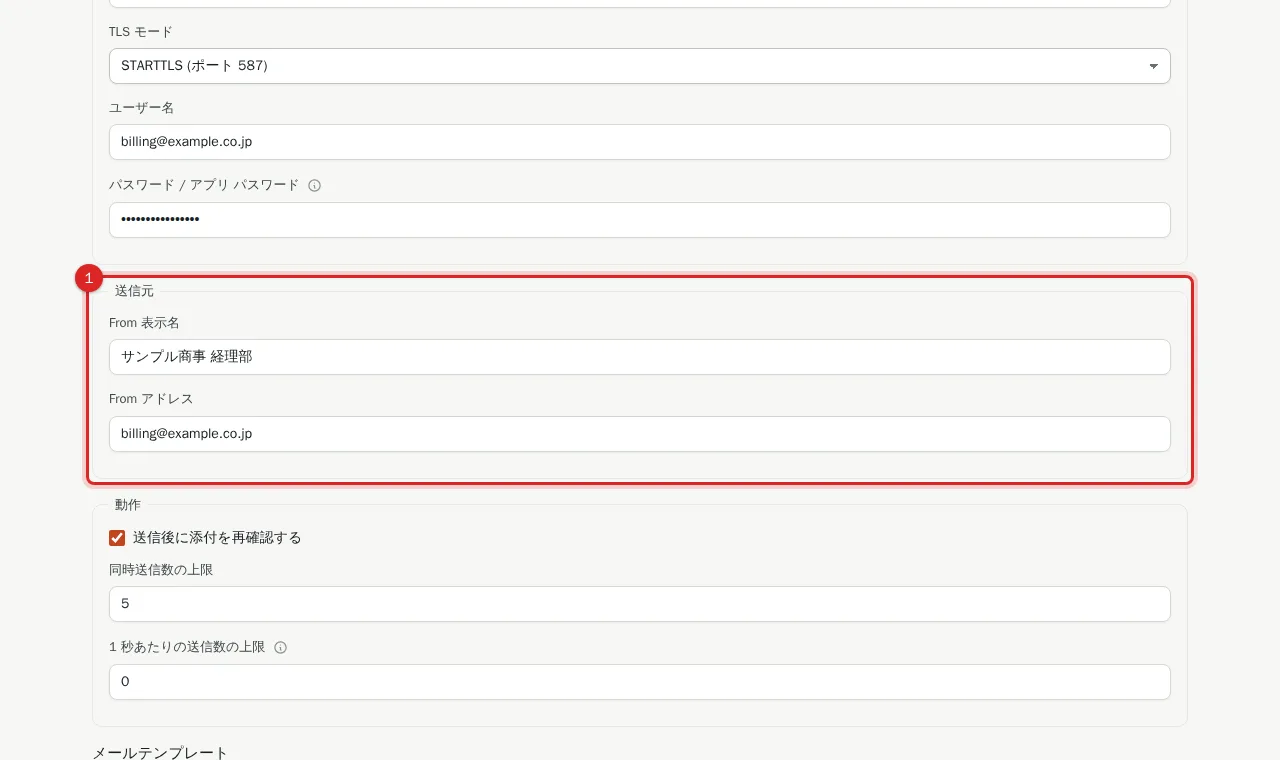
Fill in the From display name and From address. Use an address on a domain you control.
4. Load a mail template from a preset
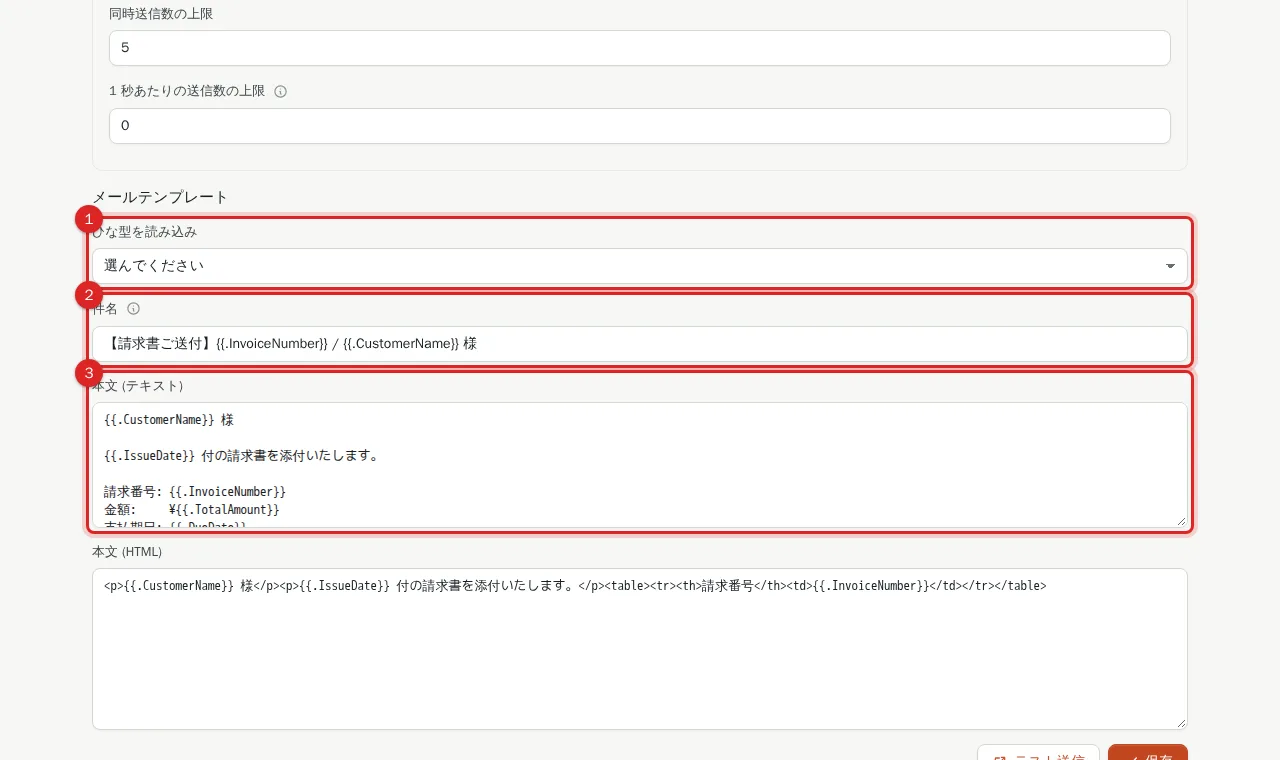
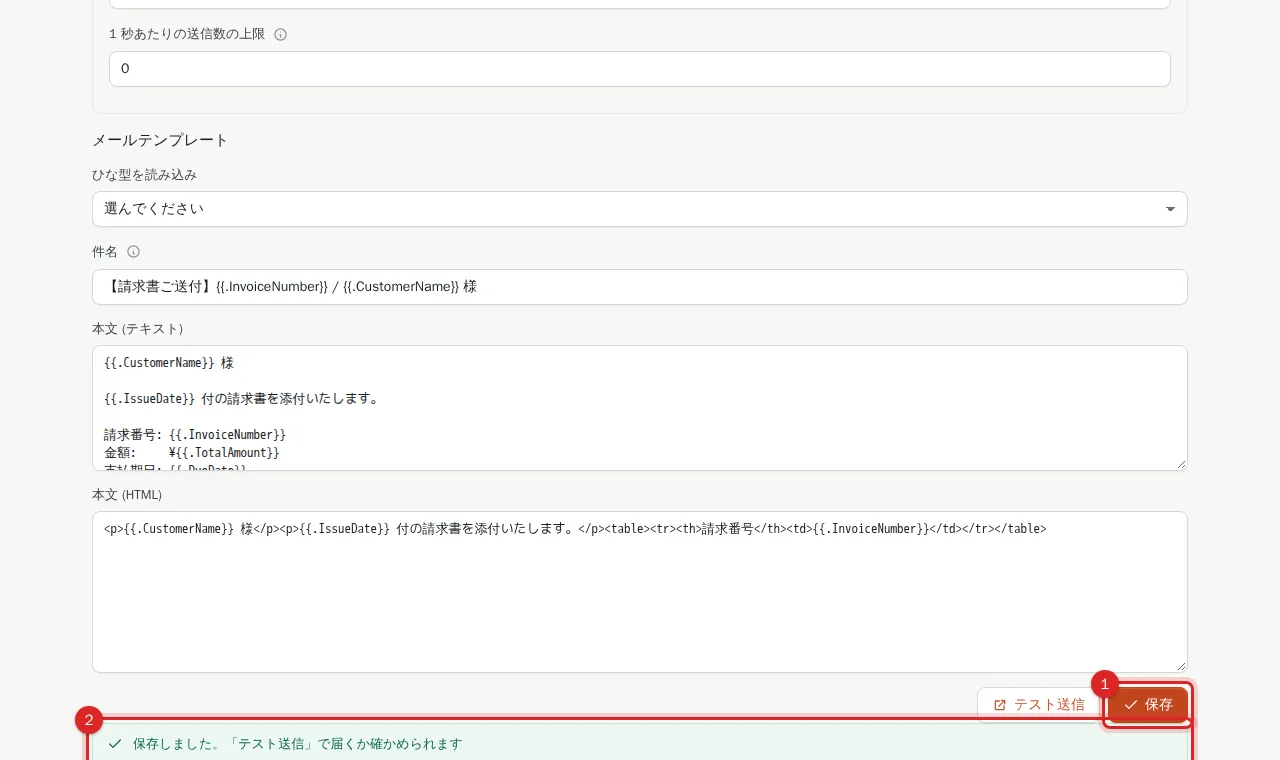
Choose a preset (purchase order, invoice, employment notice or job offer) in "ひな型を読み込み". The subject and body are filled in; {{.FieldCode}} placeholders take the record's values. Adjust the wording for your company.
5. Press "保存" (Save)
Press 保存 and the screen confirms the save and suggests テスト送信 (send test). Settings are stored encrypted; from then on the password field shows 保存済み (saved) and stays unchanged when left blank. Validation errors are shown with their reason.
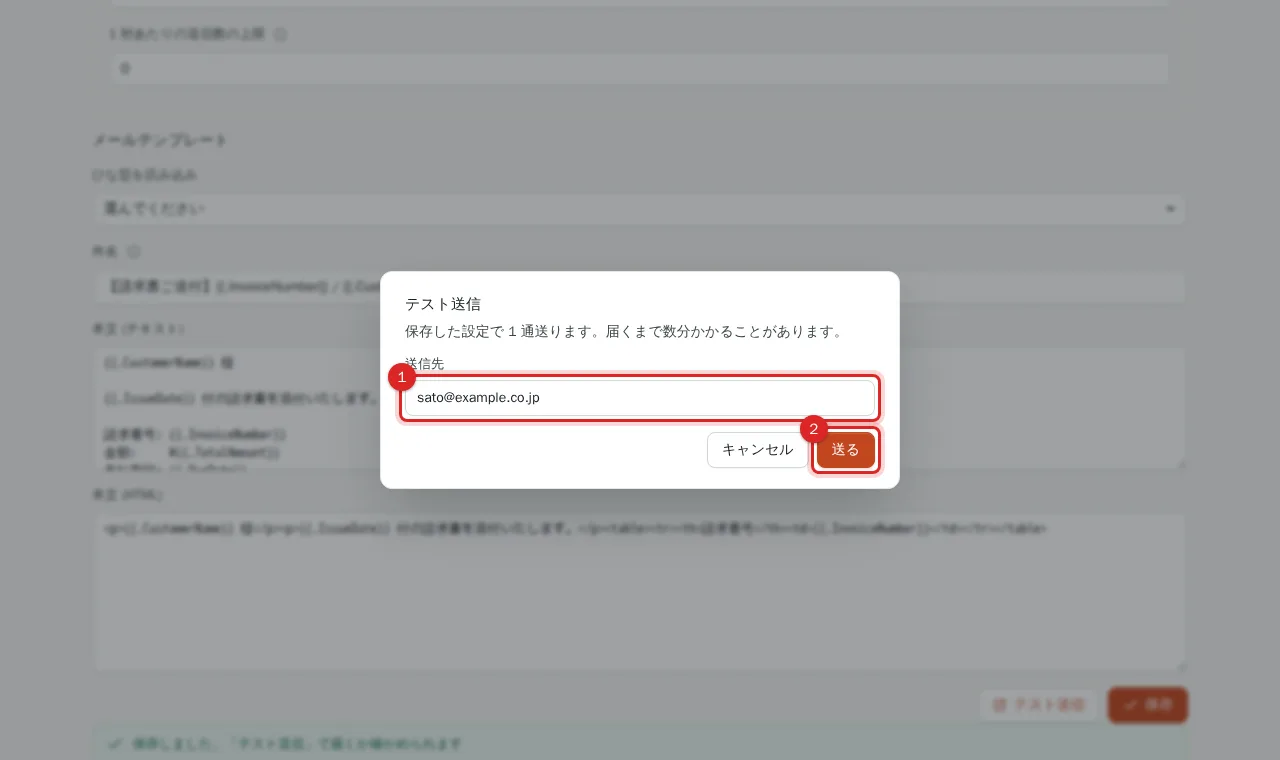
6. Press "テスト送信" (Send test)
After saving, press テスト送信. It asks for a recipient (default: the signed-in user's address), and 送る (send) sends one message with the saved settings and shows the result or the SMTP server's reason. If it does not arrive, re-check host, port, TLS mode and credentials.
What users do
Once saved, users send a document by email from the "メール送信" button on the record view. See Send a document by email.
Related
Frequently asked questions
How do I send through Gmail?
Use SMTP host smtp.gmail.com, port 587, TLS mode STARTTLS, your Gmail address as username, and an app password generated in your Google account as the password.
Is there a limit on the number of emails?
PRING does not charge per message or cap the count. Limits come from your SMTP provider (Gmail, Microsoft 365 and so on). The "1 秒あたりの送信数の上限" (sends per second) field slows sending if needed (1–2 for a Gmail app password).
What is "送信後に添付を再確認する" (re-check the attachment after sending)?
After sending, PRING re-checks that the document was attached to the kintone record. If the check fails, the record is flagged.