 PRING Help
Install the plugin
Installation has 4 stages: (1) sign up on pring.tech and receive the plugin ZIP and the PRING API token, (2) load the ZIP in kintone system administration, (3) enable PRING on the app that needs documents, (4) paste the API token into the settings screen's connection section and save. It takes about 15 minutes.
Steps
Screenshots are taken from the real PRING plugin (v6) with sample data; the surrounding kintone screen is simplified. Your kintone and plugin version may differ in details. The plugin UI is in Japanese.
1. Submit the sign-up form on pring.tech
Enter your company name, email address and kintone subdomain in the free-trial form on the product site. The next screen shows the plugin ZIP download URL (valid 24 hours, one download) and the PRING API token. The token is shown only on that screen, so copy it now.
2. Load the plugin in kintone system administration
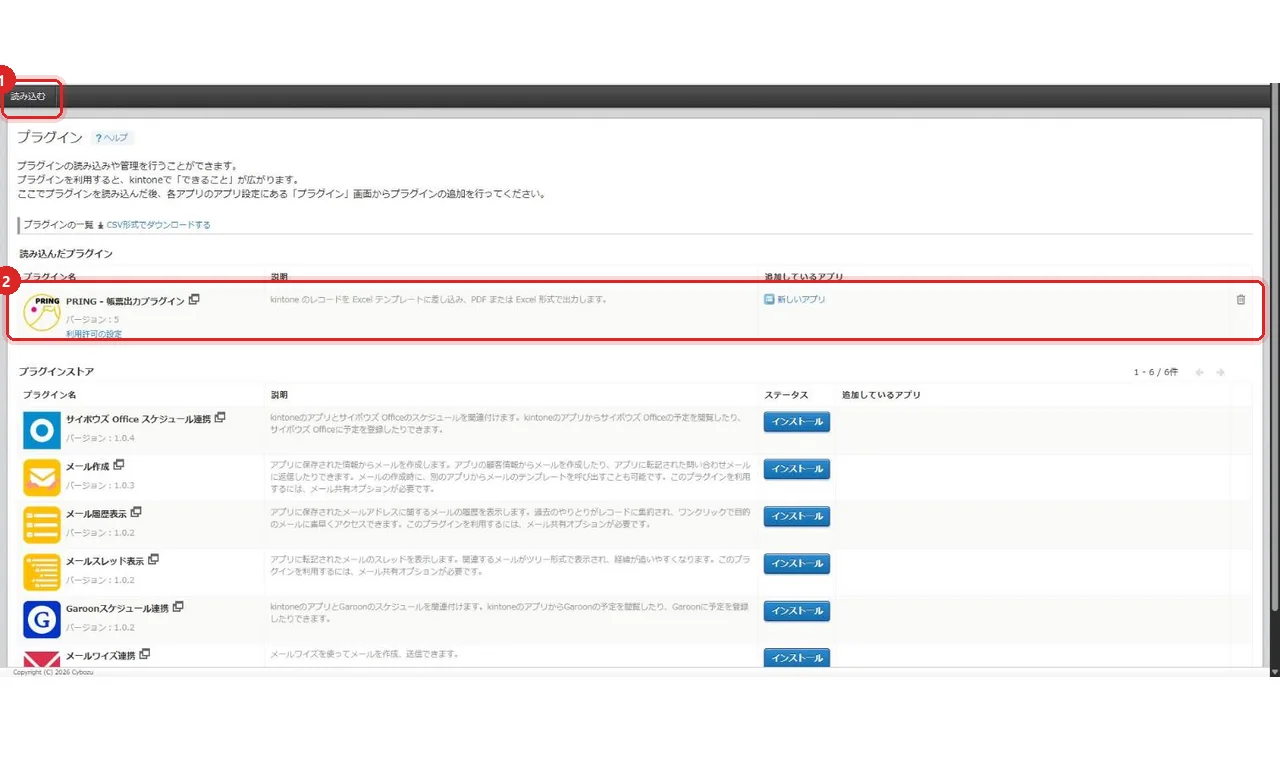
In kintone, open System administration → Plugins → "読み込む" (Import) and select the downloaded ZIP. "PRING - 帳票出力プラグイン" appears in the list of imported plugins.
3. Enable PRING on the app
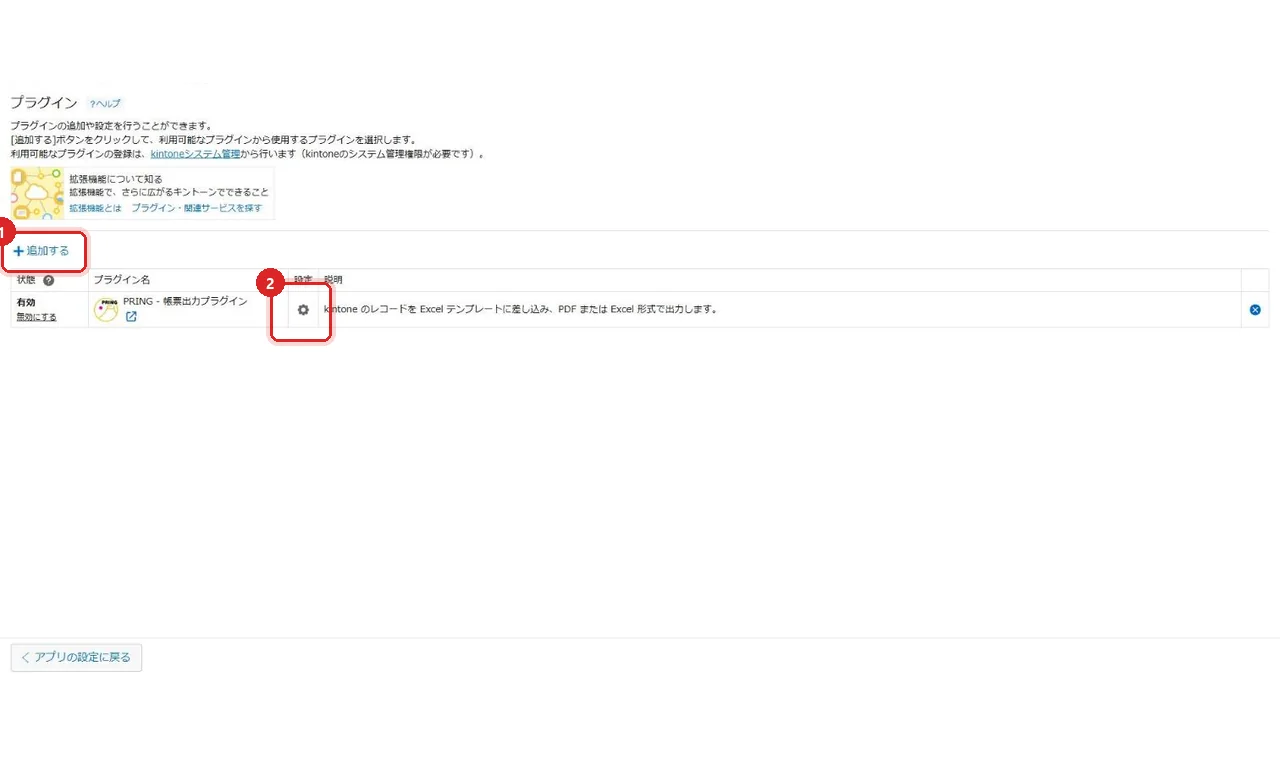
Open the target app's settings → Plugins → "+ 追加する" (Add), choose PRING, then open the settings (gear) on its row.
4. Paste the API token on the "接続設定" (Connection) tab
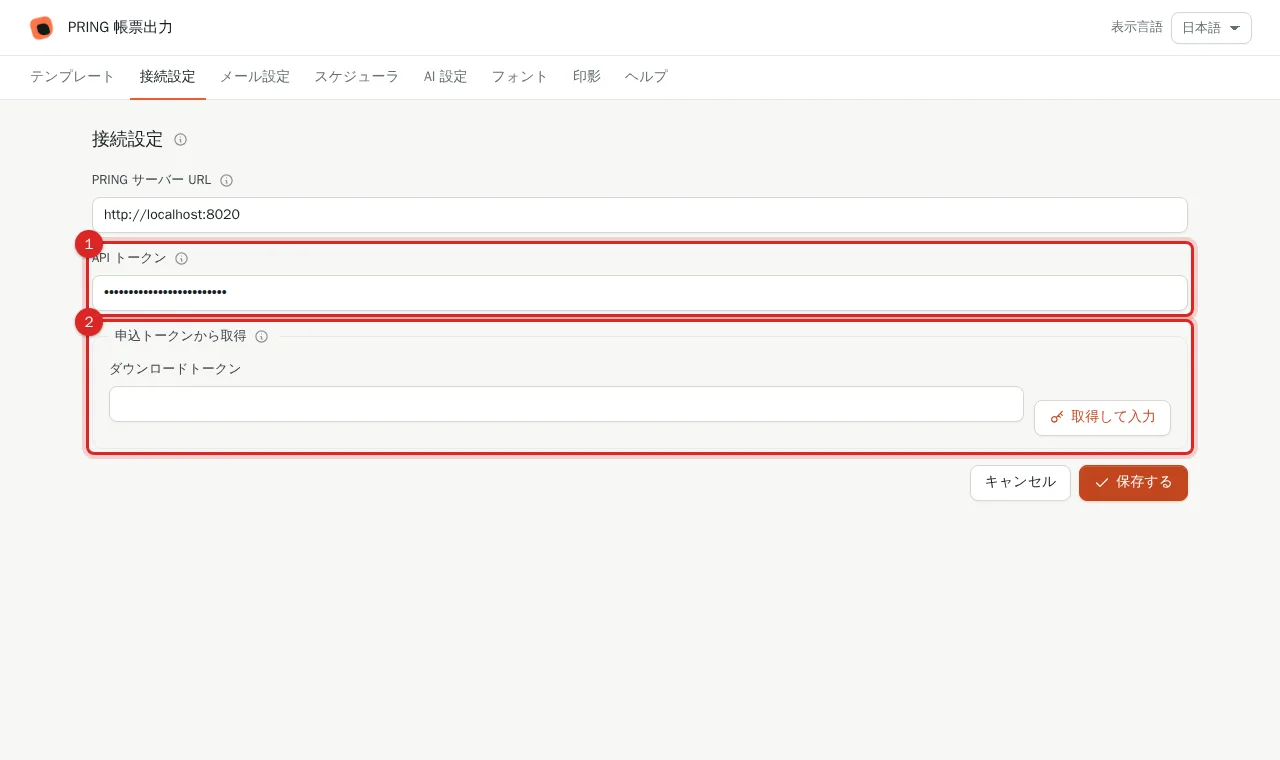
Open the "接続設定" (Connection settings) tab and paste the token from step 1 into "API トークン". If you kept the download token from the sign-up screen instead, paste it under "申込トークンから取得" and press "取得して入力" to fill the API token. Without the token the export buttons on the record view do nothing.
5. Save the plugin settings
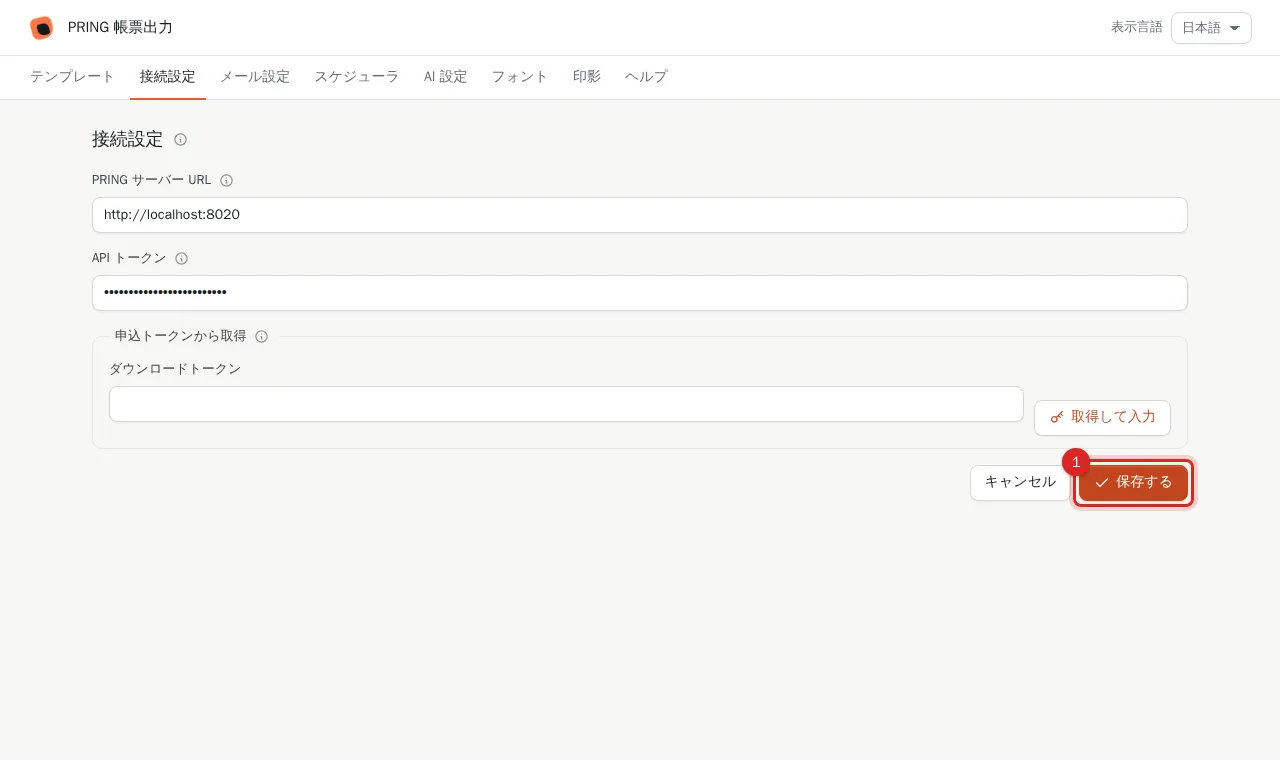
Press "保存する" (Save) on the Connection settings tab. kintone returns to the plugin list. Then press "Update app" so the settings take effect.
Requirements
| Item | Supported |
|---|---|
| kintone | All cybozu.com regions |
| Browser | Latest Chrome / Edge / Safari / Firefox |
| Template | Excel (xlsx). Macro-enabled files (xlsm) are not supported |
| Output | PDF, Excel (xlsx) |
Next
Continue with Register a template. The buttons users press are described in the End-user guide.
Frequently asked questions
The ZIP download URL has expired.
The URL expires 24 hours after sign-up. Send your kintone subdomain through the contact form (https://pring.tech/en/contact) and we will reissue it.
Can one kintone domain use PRING on several apps?
Yes. Licensing is per kintone domain. Repeat steps 3 to 5 for each app.
How long is the free trial?
7 days from sign-up. When it ends, output stops; nothing is charged automatically. To continue, choose a plan on the product site.