 PRING Help
Using PRING for purchasing (from plan to payment)
Split purchasing into one app per document (plan, quotes, approval, contract, order, delivery, invoice, payment, payables) and give each app a lookup to the upstream number. PRING outputs each stage's document and a monthly AP balance by scheduled output. Every payment traces back to the plan, which makes audits easier to answer.
One app per document, linked by the upstream number
Split the purchasing flow into one kintone app per document. Each app holds the number of the upstream app as a lookup (for example, the approval number on the order app, the order number on the delivery app). From any document you can follow the numbers back to the original plan.
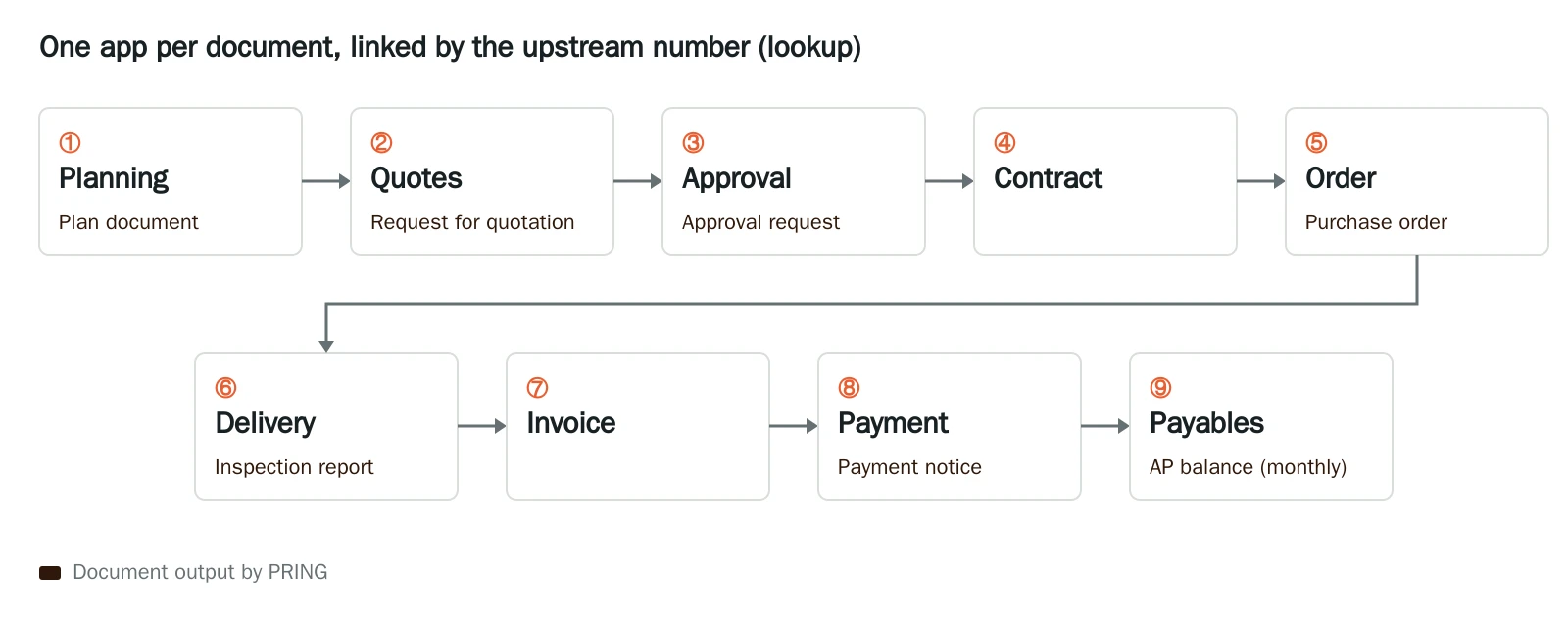
Documents PRING outputs at each stage
| Stage | kintone app (upstream number) | Document output by PRING |
|---|---|---|
| ① Planning | Plan | Plan document |
| ② Quotes | Quotes (plan number) | Request for quotation |
| ③ Approval | Approval (plan number, quotes) | Approval request (with the approver’s seal) |
| ④ Contract | Contract (approval number) | — |
| ⑤ Order | Order (approval number, contract) | Purchase order (sent by email and kept in the attachment field) |
| ⑥ Delivery and inspection | Delivery (order number) | Inspection report |
| ⑦ Invoice | Invoice (order number, delivery) | — (register the supplier’s invoice) |
| ⑧ Payment | Payment (invoice) | Payment notice |
| ⑨ Payables | Summary of invoices and payments | AP balance by supplier (monthly scheduled output) |
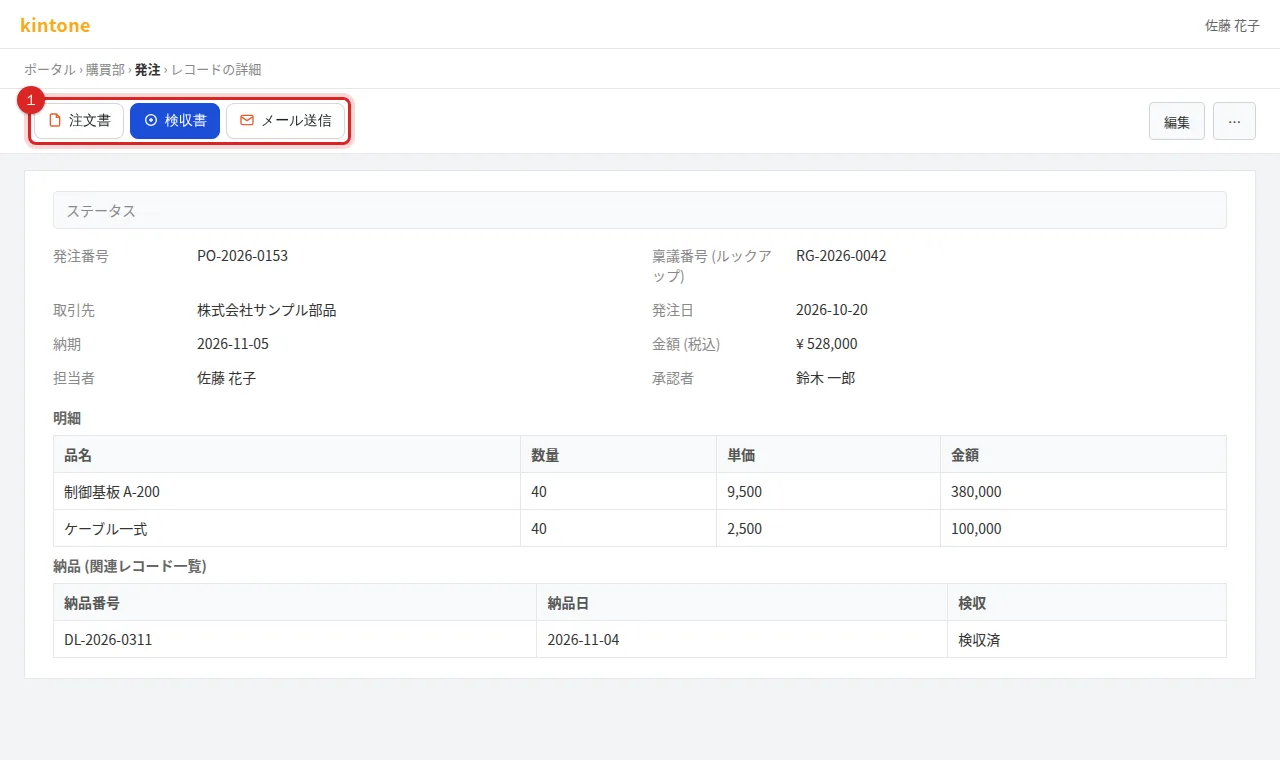
On the order app’s record screen, PRING shows one button per template, such as 注文書 (purchase order) and 検収書 (inspection report).
Features you will use
- Put a list of downstream records on an upstream document (for example, the orders on an approval request): related records are output the same way as in Lay out line items (subtables).
- Add the approver’s seal: Register seals and add them to documents
- Keep the output in the record’s attachment field and set button colours: Button colour, icon and batch export
- Email the purchase order to the supplier: Set up email sending, Send a document by email
- Output inspection reports or payment notices together at month end: Batch export from a list
- Output the AP balance automatically every month: Set up scheduled output
Why it helps in audits
Auditors ask what each payment is based on. With the numbers linked, you can answer by following documents back from the payment.
Payment → invoice → delivery note and inspection report → purchase order → contract → approval request → quotes → plan
- Three-way match: compare quantities and amounts on the purchase order, the delivery note (inspection report) and the invoice. Fictitious or duplicate invoices are easier to spot.
- Competing quotes and the reason for the choice: keep several quotes in the quotes app and list them on the approval request.
- Approval record: the approval request carries the approver’s seal and date.
Frequently asked questions
How many apps do I need?
One per document is the usual setup (plan, quotes, approval, contract, order, delivery, invoice, payment). Payables is a summary of invoices and payments, so a balance template is enough; no separate app is needed.
How do I link the upstream number?
Add a lookup field to the downstream app that refers to the upstream app (for example, an approval number on the order app). On the upstream record, list the downstream records with a related-records field.