 PRING Help
Register fonts (BYOF)
Register the fonts your templates use on the "フォント" (Fonts) tab and PDFs are rendered with them (unregistered fonts fall back to a substitute). Limits: 30 MB per file, 100 MB in total, 20 fonts. Fonts bundled with an OS or Office (MS Gothic, Yu Gothic and so on) are not licensed for server use and cannot be registered. Licensing of registered fonts is your responsibility.
Steps
Screenshots are taken from the real PRING plugin (v6) with sample data; the surrounding kintone screen is simplified. Your kintone and plugin version may differ in details. The plugin UI is in Japanese.
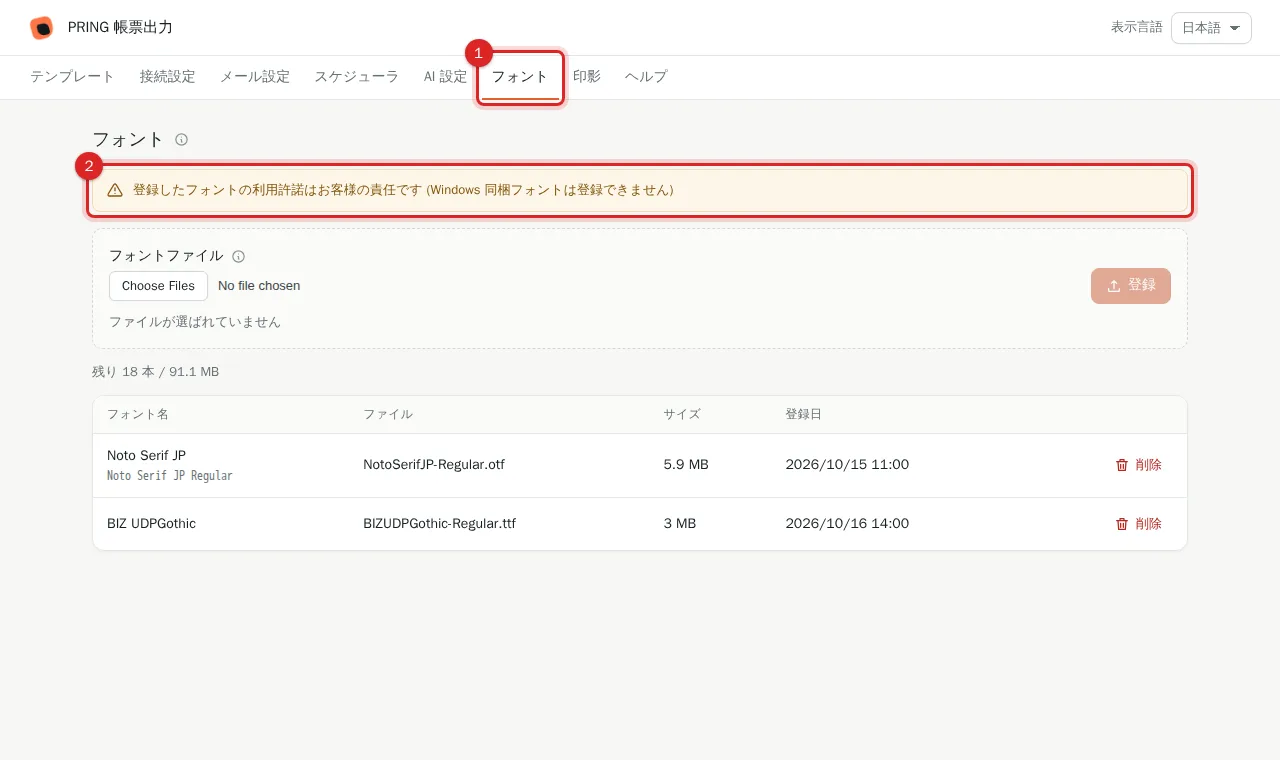
1. Open the "フォント" (Fonts) tab
Press the "フォント" tab in the settings screen. A notice at the top says that licensing of registered fonts is the customer's responsibility and that fonts bundled with Windows cannot be registered.
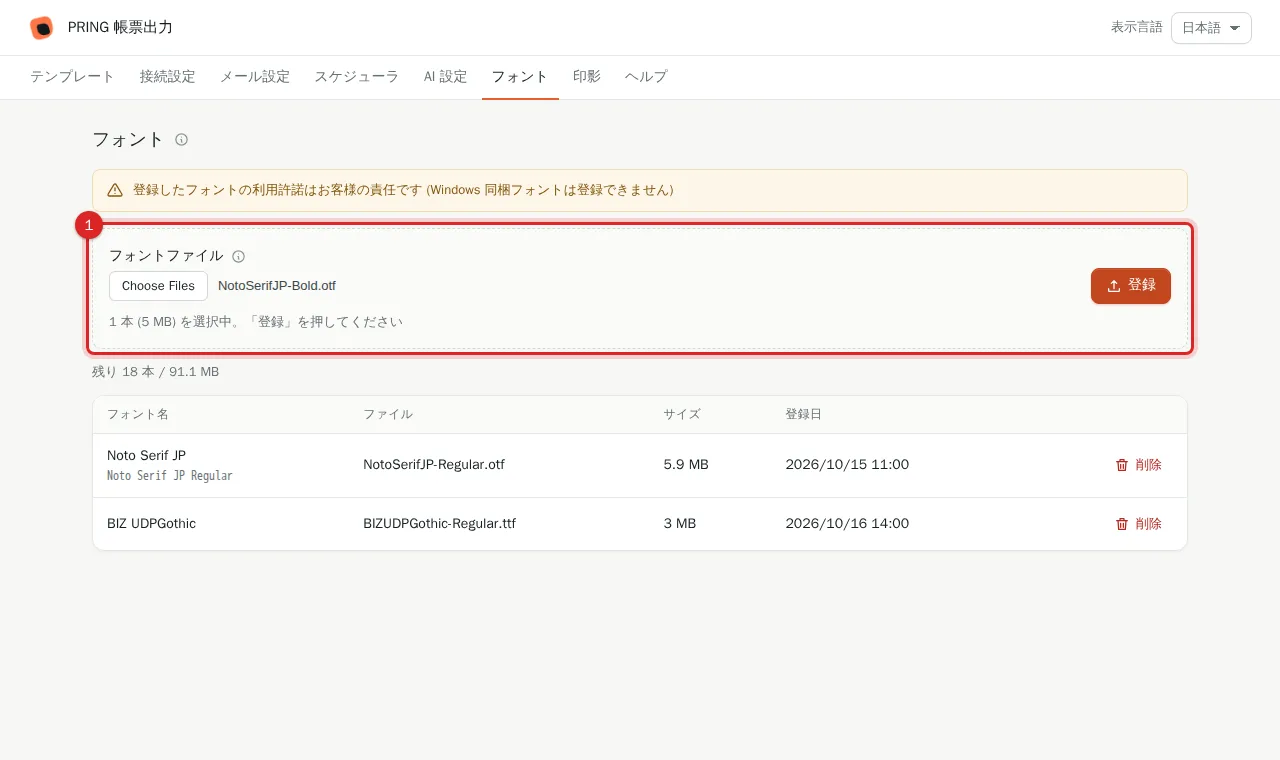
2. Choose a font file and press "登録" (Register)
Under "フォントファイル", use "ファイルを選択" (Choose file) to pick a .ttf / .otf and press "登録". Up to 30 MB per file. If a font with the same name exists you are asked whether to replace it.
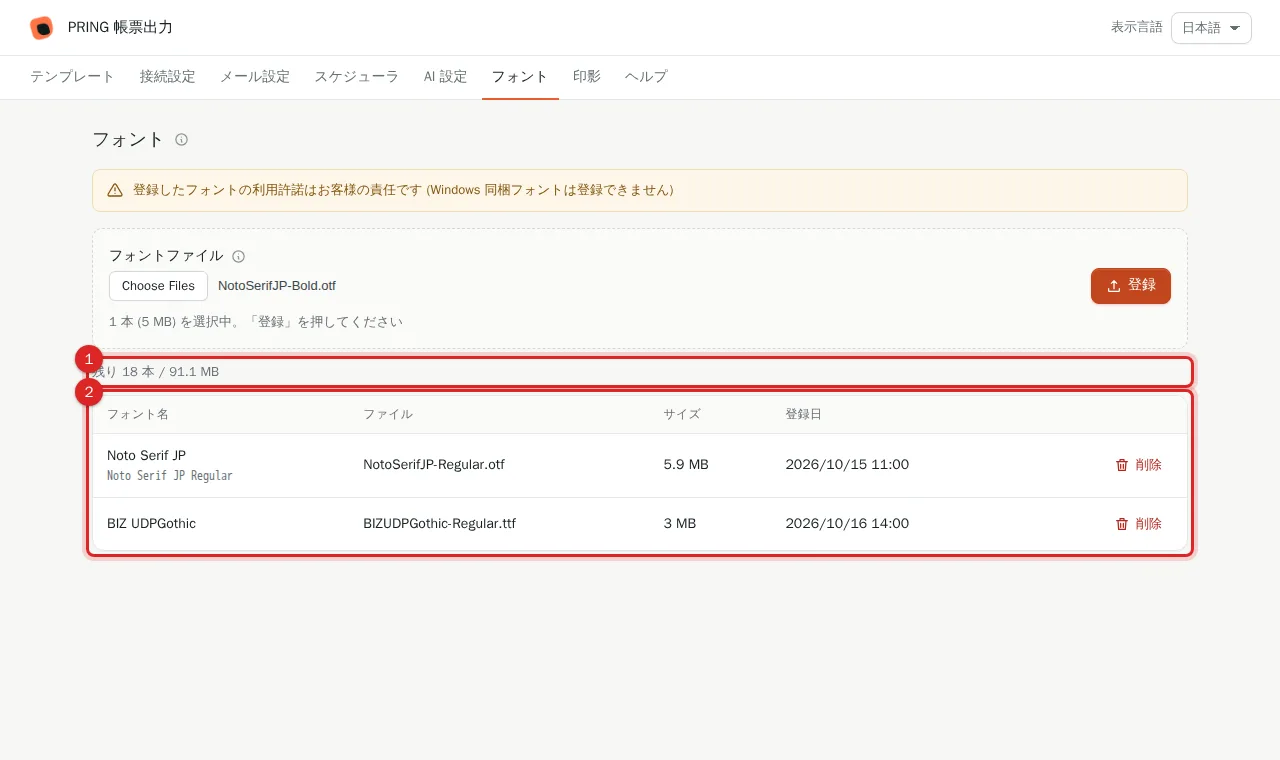
3. Check the list
The registered font appears in the list with name, file, size and date. Above the list you see the remaining count and capacity (100 MB and 20 fonts in total). Remove fonts you no longer need with "削除" (Delete).
4. Follow the notice when importing a template
When you upload a template's Excel file and it uses fonts that are not on the server, PRING lists those font names with a link to the Fonts tab. Register them and the next export uses them in the PDF; otherwise a substitute font is used.
Frequently asked questions
Which fonts can I register?
Fonts for which you hold a licence from the rights holder covering server use and embedding in PDF (purchased fonts, open-source fonts and so on). Fonts bundled with an OS or Office (for example MS Gothic, Yu Gothic) usually lack that licence and cannot be registered. Licensing is your responsibility; if a rights holder raises a claim the font may be removed without notice (Terms, article 8).
Can other companies see my fonts?
No. Registered fonts are used only to generate your tenant's documents and are not provided to third parties.
What are the limits?
30 MB per file, 100 MB in total and 20 fonts. Delete fonts you no longer need when you reach a limit.